
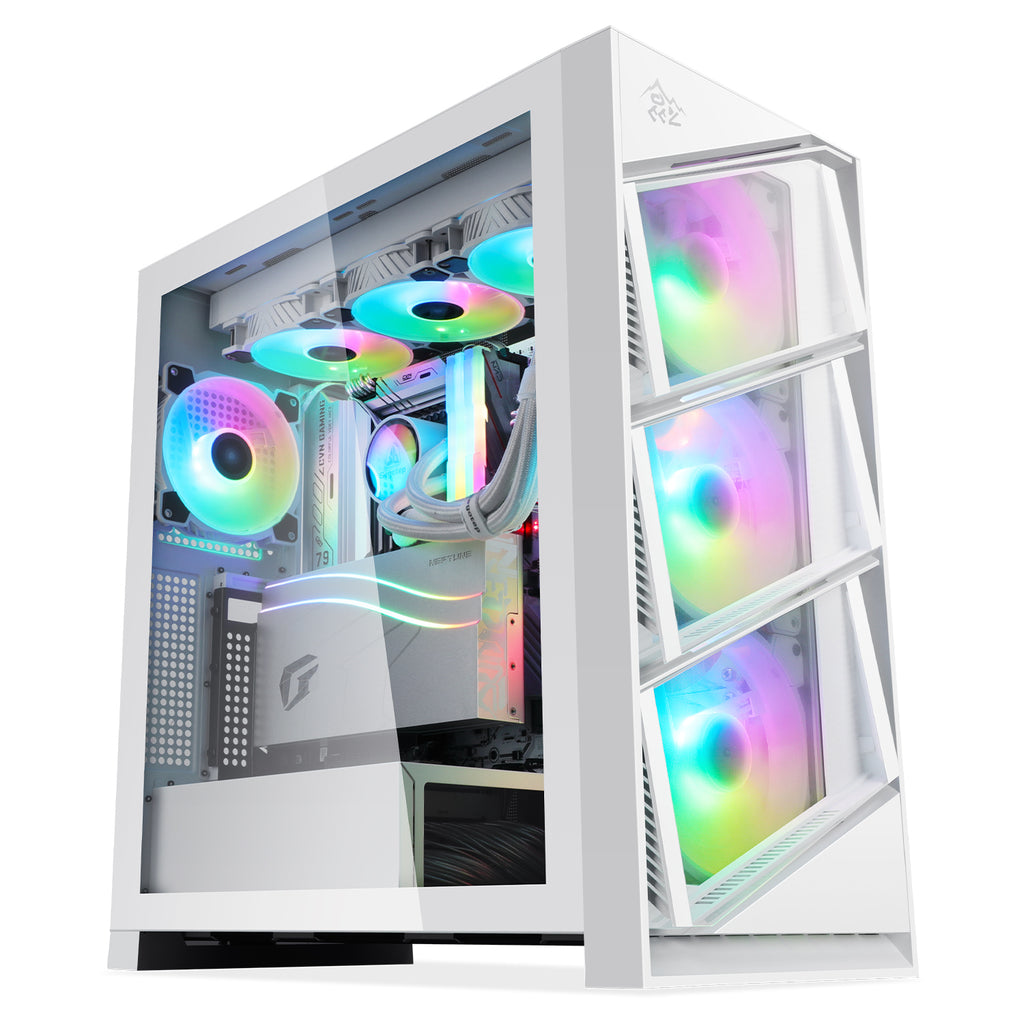
The Evolution of the Computer Tower
Computer towers have been a staple in the world of computing for decades. These vertical enclosures house the essential components of a computer, providing both functionality and style to desktop setups.
Over the years, computer towers have evolved significantly. From the bulky and beige designs of early models to the sleek and modern towers of today, these devices have undergone major transformations in both form and function.
One key aspect of this evolution is the size of computer towers. Early towers were often large and cumbersome, taking up significant desk space. However, advancements in technology have led to smaller and more compact tower designs that are powerful yet space-efficient.
In addition to size, aesthetics have also played a crucial role in the evolution of computer towers. Modern towers come in a variety of colors, materials, and designs, allowing users to customize their setups to reflect their personal style.
Furthermore, internal components have seen vast improvements over time. From faster processors to larger storage capacities, today’s computer towers offer unparalleled performance compared to their predecessors.
As we look towards the future, it’s clear that the evolution of computer towers is far from over. With advancements in technology such as virtual reality, artificial intelligence, and more demanding software applications, we can expect further innovations in both design and functionality.
Whether you’re a casual user or a hardcore gamer, the evolution of the computer tower continues to shape the way we interact with technology on a daily basis.
Everything You Need to Know About Computer Towers: A Guide to Components, Maintenance, and Alternatives
- What is a computer tower?
- What are the components inside a computer tower?
- How do I choose the right computer tower for my needs?
- Can I upgrade my computer tower?
- How do I clean and maintain my computer tower?
- What are the common issues that can occur with a computer tower?
- Are there alternatives to using a traditional computer tower?
What is a computer tower?
A computer tower, also known as a desktop tower or CPU tower, is a vertical enclosure that houses the essential components of a desktop computer. It typically contains the motherboard, processor, memory (RAM), storage devices (such as hard drives or SSDs), power supply unit, and various other components necessary for the computer to function. The term “tower” refers to the vertical orientation of the enclosure, which stands upright on a desk or floor. Computer towers come in various sizes and designs, offering different levels of performance and customization options to suit the needs of different users.
What are the components inside a computer tower?
The components inside a computer tower typically include a motherboard, CPU (Central Processing Unit), RAM (Random Access Memory), storage devices such as hard drives or SSDs (Solid State Drives), a power supply unit, a graphics card (if not integrated into the motherboard), cooling system (such as fans or liquid cooling), and various ports for connecting peripherals. These components work together to enable the computer to perform tasks and run software efficiently. Each component plays a crucial role in the overall functionality and performance of the computer tower, making it important to understand their functions and how they interact with each other.
How do I choose the right computer tower for my needs?
When selecting the right computer tower for your needs, it’s essential to consider several factors to ensure you make the best choice. Firstly, assess your computing requirements, such as the type of tasks you’ll be performing (e.g., gaming, graphic design, office work) and the software you’ll be using. This will help determine the necessary specifications for your tower, including processor speed, RAM capacity, and storage options. Additionally, consider the size and form factor of the tower to ensure it fits comfortably in your workspace. Pay attention to features like cooling systems, expansion slots, and connectivity ports to accommodate future upgrades and peripherals. Lastly, factor in your budget to find a balance between performance and affordability when choosing the right computer tower for your specific needs.
Can I upgrade my computer tower?
One frequently asked question regarding computer towers is, “Can I upgrade my computer tower?” The answer is yes, computer towers are designed to be easily upgradable. Users can typically upgrade components such as the processor, graphics card, memory (RAM), storage drives, and more to improve performance or add new features. Whether you’re looking to boost gaming capabilities, increase storage capacity, or enhance overall speed and efficiency, upgrading your computer tower can be a cost-effective way to extend the lifespan of your system and tailor it to your specific needs.
How do I clean and maintain my computer tower?
Cleaning and maintaining your computer tower is essential to ensure optimal performance and longevity of your system. To clean your computer tower, start by shutting down the computer and unplugging it from the power source. Use a can of compressed air to gently blow away dust and debris from the vents, fans, and components inside the tower. Wipe down the exterior of the tower with a soft, dry cloth to remove any surface dust. It’s also important to regularly check and clean the fans to prevent overheating. Additionally, consider organizing cables inside the tower to improve airflow and reduce clutter. By following these simple maintenance steps regularly, you can keep your computer tower running smoothly and efficiently.
What are the common issues that can occur with a computer tower?
Common issues that can occur with a computer tower include hardware malfunctions such as overheating, power supply failures, and component compatibility issues. Dust accumulation inside the tower can also lead to overheating and reduced performance. Software-related problems like viruses, driver conflicts, and operating system errors can cause system instability. Additionally, physical damage from accidental drops or mishandling can impact the functionality of a computer tower. Regular maintenance, proper ventilation, and keeping software up to date are essential practices to prevent and address these common issues effectively.
Are there alternatives to using a traditional computer tower?
For those seeking alternatives to using a traditional computer tower, there are several options available in the market today. One popular alternative is the all-in-one desktop computer, which combines the components of a computer into a single sleek monitor unit. Another option is the mini PC, a compact and portable device that offers similar performance to a traditional tower but in a smaller form factor. Additionally, cloud computing services provide an alternative to physical hardware by allowing users to access computing resources over the internet. Each of these alternatives offers unique benefits and considerations based on individual needs and preferences.