
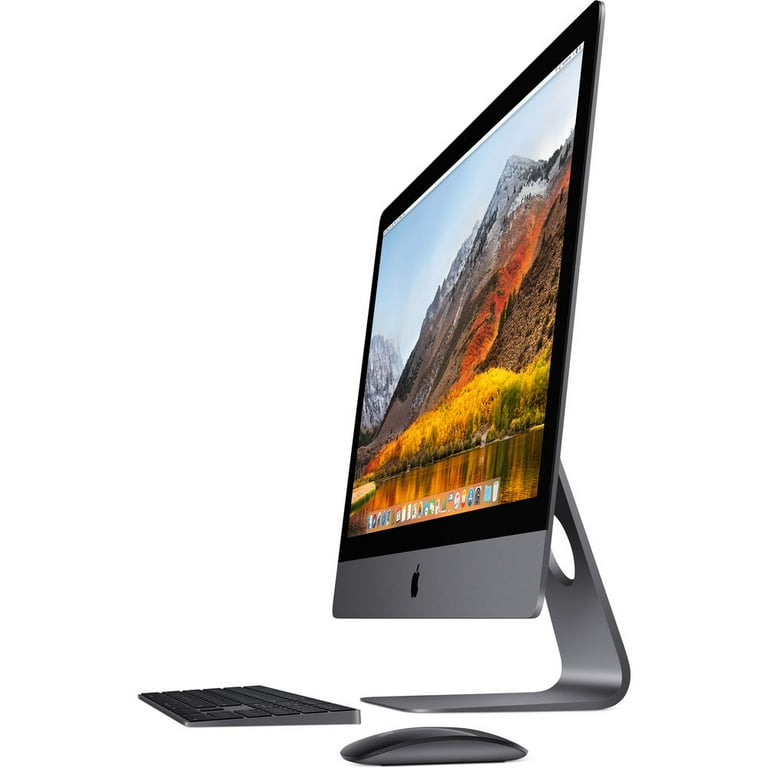
The Evolution of Apple Desktop Computers
Apple has a rich history of producing innovative and iconic desktop computers that have revolutionized the way we work and create. From the early days of the Apple I to the latest iMac models, Apple desktop computers have consistently set new standards in design, performance, and user experience.
Apple I
The journey began in 1976 with the release of the Apple I, a bare circuit board designed by Steve Wozniak. It was a milestone in personal computing history and laid the foundation for what was to come.
Macintosh Series
In 1984, Apple introduced the Macintosh, a groundbreaking computer with a graphical user interface that would change the industry forever. The Macintosh series continued to evolve over the years, introducing innovations such as color displays, CD-ROM drives, and faster processors.
iMac
In 1998, Apple launched the iMac, a sleek all-in-one desktop computer that combined style and performance. The iMac became an instant hit with its colorful design and ease of use, appealing to both professionals and consumers.
Mac Pro
For power users and professionals, Apple offers the Mac Pro line of desktop computers. Known for their high performance and expandability, Mac Pro models are favored by creative professionals working in industries such as graphic design, video editing, and music production.
iMac Pro and Mac Mini
Apple further expanded its desktop lineup with products like the iMac Pro and Mac Mini. The iMac Pro is designed for users who require maximum performance for demanding tasks, while the Mac Mini offers a compact yet powerful desktop solution for everyday computing needs.
The Future of Apple Desktop Computers
As technology continues to advance, we can expect Apple to push boundaries with future iterations of its desktop computers. Whether it’s through innovative design concepts or cutting-edge hardware components, one thing is certain – Apple will continue to shape the future of desktop computing.
Top 5 Essential Tips for Maintaining Your Apple Desktop Computer
- Regularly clean the screen and keyboard to keep your Apple desktop computer looking new.
- Ensure you have sufficient storage space by regularly deleting unnecessary files or upgrading to a larger hard drive.
- Keep your operating system and software up to date to benefit from the latest features and security patches.
- Invest in a surge protector to protect your Apple desktop computer from power surges and electrical damage.
- Back up your important files regularly using Time Machine or cloud storage to prevent data loss.
Regularly clean the screen and keyboard to keep your Apple desktop computer looking new.
Regularly cleaning the screen and keyboard of your Apple desktop computer is essential to maintain its pristine appearance and ensure optimal performance. Dust, fingerprints, and debris can accumulate over time, affecting visibility and functionality. By gently wiping down the screen with a soft microfiber cloth and using compressed air or a brush to remove debris from the keyboard, you can keep your Apple desktop computer looking fresh and operating smoothly. This simple maintenance routine not only enhances the aesthetic appeal of your computer but also helps prolong its lifespan.
Ensure you have sufficient storage space by regularly deleting unnecessary files or upgrading to a larger hard drive.
To optimize the performance of your Apple desktop computer, it is crucial to ensure you have sufficient storage space available. By regularly deleting unnecessary files or upgrading to a larger hard drive, you can prevent your system from becoming bogged down and improve its overall speed and efficiency. Keeping your storage space organized and free of clutter not only enhances your computer’s performance but also helps you stay organized and productive in your daily tasks. Make it a habit to manage your storage effectively to maintain a smooth and seamless computing experience on your Apple desktop computer.
Keep your operating system and software up to date to benefit from the latest features and security patches.
To maximize the performance and security of your Apple desktop computer, it is crucial to keep your operating system and software up to date. By regularly updating your system, you ensure that you have access to the latest features and improvements that can enhance your user experience. Additionally, staying current with updates helps protect your computer from potential security vulnerabilities by applying patches and fixes provided by Apple. Remember, keeping your operating system and software up to date is a simple yet effective way to ensure the smooth operation of your Apple desktop computer.
Invest in a surge protector to protect your Apple desktop computer from power surges and electrical damage.
Investing in a surge protector is a wise decision to safeguard your Apple desktop computer from potential power surges and electrical damage. A surge protector acts as a barrier between your computer and sudden spikes in voltage, providing an extra layer of protection for your valuable equipment. By using a surge protector, you can minimize the risk of damage to your Apple desktop computer caused by power fluctuations, ensuring its longevity and reliable performance. It’s a small investment that can make a big difference in protecting your device from unforeseen electrical hazards.
Back up your important files regularly using Time Machine or cloud storage to prevent data loss.
To ensure the safety and security of your important files on your Apple desktop computer, it is crucial to back them up regularly using tools like Time Machine or cloud storage. By creating backups of your data, you can prevent the risk of losing valuable information due to unforeseen events such as hardware failure, accidental deletion, or system crashes. Time Machine allows you to easily schedule automatic backups to an external drive, while cloud storage services offer the convenience of storing your files securely online. By following this tip, you can have peace of mind knowing that your important data is protected and easily recoverable in case of any emergencies.