
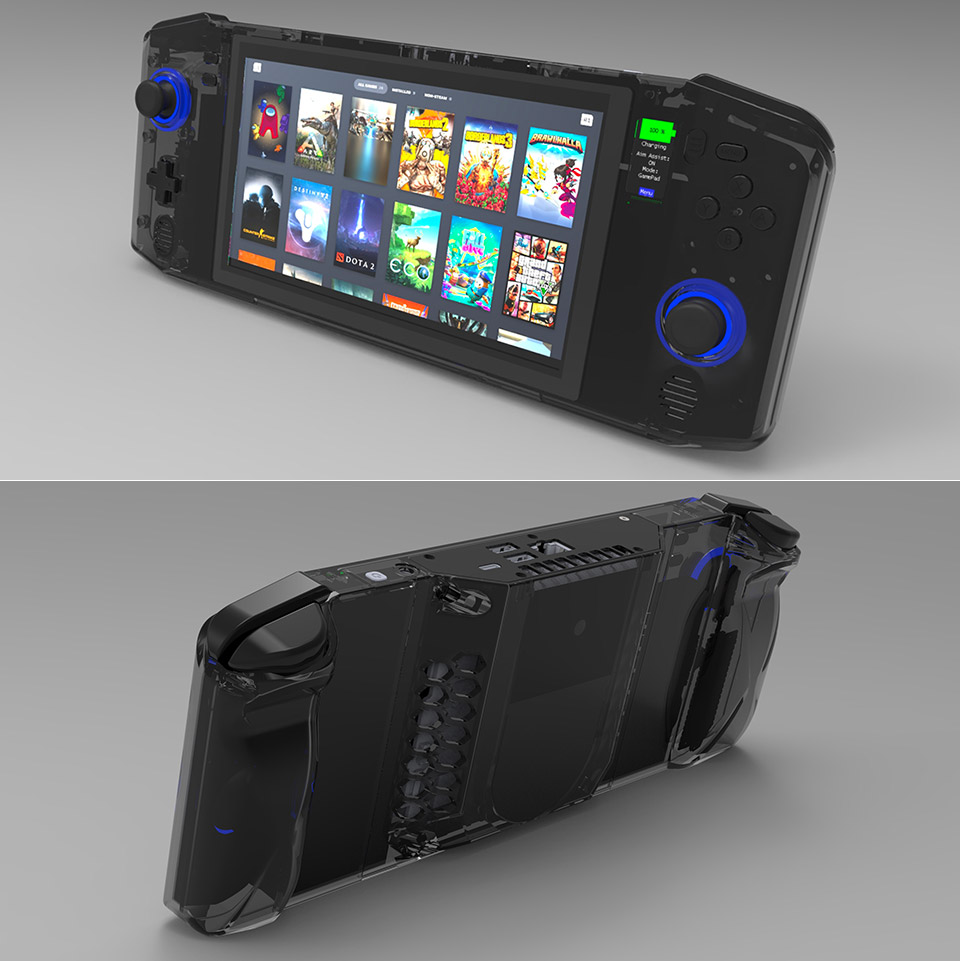
The Evolution of Handheld PCs
Handheld PCs, often referred to as palmtops or pocket computers, have played a significant role in the evolution of mobile computing. These compact devices, designed to offer the functionality of a personal computer in a portable form factor, have paved the way for today’s smartphones and tablets.
Early Beginnings
The concept of handheld computing dates back to the early 1980s with devices like the Psion Organiser, released in 1984. It was one of the first successful handheld computers and set the stage for future developments. These early devices were primarily used for basic tasks such as storing contacts and managing calendars.
The Rise of Windows CE Devices
In the mid-1990s, Microsoft introduced Windows CE, an operating system specifically designed for handheld devices. This led to the creation of various handheld PCs by manufacturers such as HP, Compaq, and Casio. These devices featured miniature keyboards and touchscreens, allowing users to perform tasks similar to those on a desktop PC, including word processing and spreadsheet management.
Palm OS and Pocket PC Era
Palm Inc. revolutionized handheld computing with its Palm Pilot series in the late 1990s. The simplicity and efficiency of Palm OS made these devices immensely popular among professionals who needed quick access to information on-the-go.
In response, Microsoft rebranded its Windows CE platform as Pocket PC, offering enhanced multimedia capabilities and improved connectivity options. Devices running Pocket PC became prominent competitors in the market during this time.
The Transition to Modern Smartphones
As technology evolved, so did consumer expectations for mobile devices. The line between handheld PCs and smartphones began to blur in the mid-2000s with advancements in wireless connectivity, processing power, and touchscreen technology.
The introduction of Apple’s iPhone in 2007 marked a significant turning point. The iPhone combined communication capabilities with robust computing power within a single device that fit comfortably in one’s hand. This innovation effectively merged the functionalities of handheld PCs into modern smartphones.
Legacy and Impact
Though traditional handheld PCs have largely been replaced by smartphones and tablets today, their legacy lives on. They laid essential groundwork for mobile operating systems and applications that continue to influence how people interact with technology daily.
The evolution from early palmtops to sophisticated smart devices highlights an incredible journey driven by innovation – one that transformed how individuals connect with each other across distances while accessing vast amounts of information at their fingertips.
Essential Tips for Maintaining and Protecting Your Handheld PC
- Invest in a durable case to protect your handheld PC from damage.
- Regularly update the operating system and software for optimal performance.
- Use a screen protector to prevent scratches and smudges on the display.
- Keep your handheld PC clean by regularly wiping it down with a soft, dry cloth.
- Manage your storage space efficiently by deleting unnecessary files and apps.
- Be cautious when downloading third-party apps to avoid malware or security risks.
Invest in a durable case to protect your handheld PC from damage.
Investing in a durable case for your handheld PC is a wise decision to safeguard it from potential damage. A sturdy case provides an extra layer of protection against accidental drops, bumps, and scratches, helping to maintain the integrity and longevity of your device. By choosing a quality case that fits securely and offers adequate cushioning, you can enjoy peace of mind knowing that your handheld PC is well-protected while on-the-go. It’s a simple yet effective way to ensure that your device remains in optimal condition for continued use.
Regularly update the operating system and software for optimal performance.
Regularly updating the operating system and software on your handheld PC is essential for maintaining optimal performance and security. These updates often include bug fixes, performance enhancements, and new features that can improve the overall functionality of your device. By staying up-to-date with the latest software releases, you can ensure that your handheld PC runs smoothly, efficiently, and securely, providing you with the best possible user experience.
Use a screen protector to prevent scratches and smudges on the display.
To maintain the pristine condition of your handheld PC’s display, it is advisable to utilize a screen protector. By applying a screen protector, you can safeguard the screen from scratches and smudges that may occur during regular use. This simple yet effective accessory serves as a protective barrier, ensuring that your handheld PC’s display remains clear and free from damage, allowing you to enjoy a seamless user experience for an extended period.
Keep your handheld PC clean by regularly wiping it down with a soft, dry cloth.
To maintain the cleanliness and longevity of your handheld PC, it is essential to regularly wipe it down with a soft, dry cloth. This simple practice helps remove dust, fingerprints, and other debris that can accumulate on the device’s surface over time. By keeping your handheld PC clean, you not only ensure a more pleasant user experience but also help prevent potential damage caused by dirt buildup. Regular maintenance like this can go a long way in preserving the functionality and appearance of your device.
Manage your storage space efficiently by deleting unnecessary files and apps.
To optimize the performance of your handheld PC, it is crucial to manage your storage space efficiently. One effective way to achieve this is by regularly deleting unnecessary files and apps that are taking up valuable space on your device. By decluttering your storage, you can free up memory for essential data and applications, ensuring smoother operation and better overall performance of your handheld PC.
Be cautious when downloading third-party apps to avoid malware or security risks.
It is crucial to exercise caution when downloading third-party apps onto your handheld PC to mitigate the risk of encountering malware or potential security threats. By sticking to reputable sources and carefully reviewing permissions and reviews before installation, you can safeguard your device and personal information from potential vulnerabilities. Prioritizing security measures when downloading apps ensures a safer and more secure user experience on your handheld PC.