
Tools for Teachers: Making Learning More Engaging and Manageable
Teaching involves much more than presenting lessons. Educators plan activities, assess student progress, communicate with families, and create welcoming classrooms—all while adapting to different learning needs. The right tools can make these responsibilities easier and help students stay curious, focused, and involved.
Tools for Planning and Organization
Lesson-planning tools help teachers organize learning objectives, activities, materials, and assessments. Digital calendars and task lists can also keep track of assignments, meeting dates, and important classroom events. Whether a teacher prefers a printed planner or an online system, a clear routine makes it easier to prepare ahead and manage competing priorities.
Classroom Technology
Computers, tablets, interactive displays, and document cameras can bring lessons to life. Teachers can use them to show demonstrations, explore maps and primary sources, or display student work. Technology is most effective when it supports a specific learning goal rather than serving as a distraction. It is also helpful to have a non-digital backup plan in case equipment or internet access is unavailable.
Tools for Collaboration
Shared documents, classroom discussion platforms, and digital whiteboards can give students new ways to exchange ideas and work together. These tools may be especially useful for group projects, peer feedback, and brainstorming. Teachers should set clear expectations for respectful participation and make sure every student has a meaningful way to contribute.
Assessment and Feedback
Quizzes, exit tickets, rubrics, and observation notes help teachers understand what students have learned and where they may need additional support. Quick checks for understanding can guide the next lesson, while detailed feedback helps students recognize both their progress and their next steps. Assessment tools should be accessible and appropriate for the skill being measured.
Resources for Diverse Learning Needs
Students learn in different ways and at different paces. Read-aloud features, captions, translation tools, adjustable text sizes, graphic organizers, and hands-on materials can make classroom content more accessible. Offering more than one way to engage with a topic or demonstrate understanding can help a wider range of students succeed.
Choosing the Right Tools
A useful teaching tool does not have to be expensive or complicated. When considering a new resource, teachers can ask:
- Does it support a clear learning objective?
- Is it easy for students and families to use?
- Does it protect student privacy?
- Is it accessible to students with different needs?
- Can it be used reliably with the available devices and internet connection?
It is usually better to choose a few dependable tools than to introduce too many at once. Trying a resource with a small activity, gathering student feedback, and adjusting as needed can make adoption smoother.
Tools That Support Great Teaching
Teaching tools are most valuable when they help educators build connections, encourage curiosity, and respond to student needs. A thoughtful mix of planning resources, classroom materials, technology, and assessment strategies can make learning more engaging while helping teachers use their time effectively.
8 Benefits of Teaching Tools for Teachers
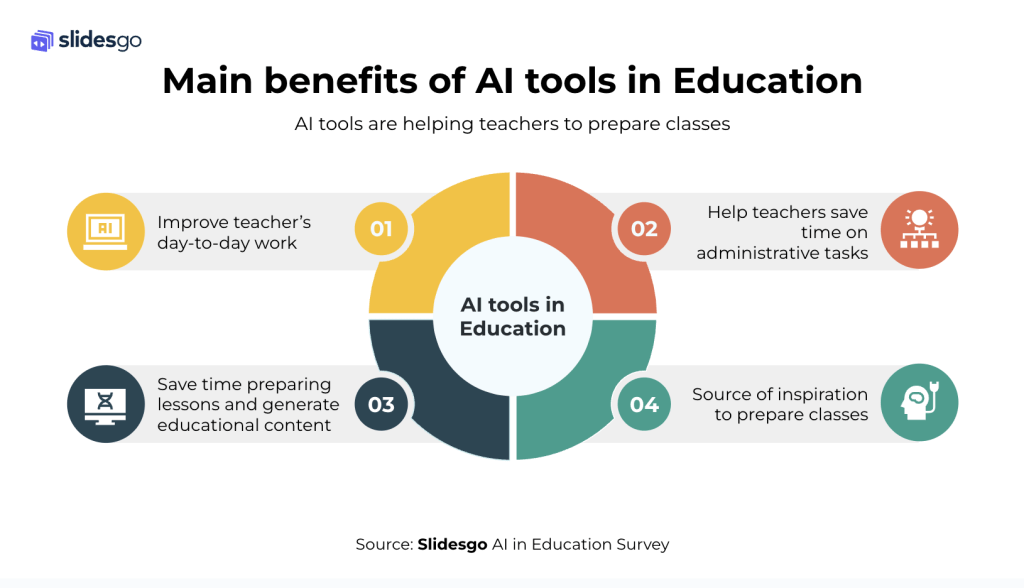
- Save time on lesson planning.
- Keep classroom tasks organized.
- Make lessons more engaging.
- Support different learning styles.
- Encourage student collaboration.
- Provide quick learning feedback.
- Improve communication with families.
- Help track student progress.
5 Drawbacks of Using Digital Tools in the Classroom
- Some tools can be expensive.
- Technology may fail or lose internet access.
- Too many tools can overwhelm teachers and students.
- Digital tools may create privacy concerns.
- Not every tool is accessible to all students.
Save time on lesson planning.
Tools for teachers can save valuable time on lesson planning by providing ready-to-use activities, templates, and resources that educators can adapt to their students’ needs. Digital planners and curriculum tools also make it easier to organize learning objectives, materials, and assessments in one place. With less time spent building every lesson from scratch, teachers can focus more on supporting students and creating engaging classroom experiences.
Keep classroom tasks organized.
Tools for teachers can make it easier to keep classroom tasks organized. Lesson-planning apps, calendars, and digital checklists help educators track assignments, prepare materials, schedule activities, and remember important deadlines in one place. With a clearer view of what needs to be done and when, teachers can spend less time managing details and more time supporting their students.
Make lessons more engaging.
Tools for teachers can make lessons more engaging by turning abstract ideas into interactive, hands-on experiences. Videos, simulations, games, and collaborative activities invite students to participate, explore concepts, and learn in different ways. When students are actively involved, they’re more likely to stay focused, feel curious, and remember what they learn.
Support different learning styles.
Tools for teachers can support different learning styles by offering students multiple ways to engage with a subject. Videos, audio recordings, diagrams, interactive activities, and hands-on materials can help explain the same concept in varied ways. This flexibility gives students more opportunities to connect with the content, practice new skills, and show what they have learned.
Encourage student collaboration.
Tools for teachers can make student collaboration easier and more engaging. Shared documents, digital whiteboards, and classroom discussion platforms give students ways to brainstorm, exchange ideas, and work together on projects—even when they are not in the same place. These tools can also help teachers structure group activities and ensure every student has an opportunity to contribute. By practicing communication, teamwork, and problem-solving, students build skills that support learning in and beyond the classroom.
Provide quick learning feedback.
Tools for teachers can provide quick feedback that helps students understand what they’ve mastered and where they may need more practice. Digital quizzes, polls, and interactive activities can show results right away, allowing teachers to address misunderstandings before moving on. Timely feedback also gives students a clearer sense of their progress and helps teachers adjust lessons to better support the class.
Improve communication with families.
Tools for teachers can make it easier to keep families informed and involved in students’ learning. Communication apps, email, and online classroom platforms let teachers share announcements, reminders, progress updates, and examples of student work in one convenient place. Regular, clear communication helps families understand what their children are learning and how they can support them at home, while giving teachers and caregivers a simple way to share questions and concerns.
Help track student progress.
Tools for teachers can make it easier to track student progress over time. Digital gradebooks, assessment platforms, and simple tracking charts help educators record results, spot patterns, and identify areas where students may need extra support. With a clearer picture of each student’s growth, teachers can adjust lessons, provide timely feedback, and celebrate achievements.
Some tools can be expensive.
One drawback of tools for teachers is that some can be expensive. Classroom technology, software subscriptions, and specialized learning materials may strain school budgets or require teachers to pay out of pocket. Costs can also make it harder for all students to access the same resources, especially when schools have limited funding. Before adopting a tool, it’s worth considering free or lower-cost alternatives and whether the benefits justify the expense.
Technology may fail or lose internet access.
Technology can make lessons more engaging, but it isn’t always reliable. Devices may malfunction, software can crash, and internet access may be slow or unavailable, interrupting activities and making online resources difficult to use. Teachers can reduce disruptions by testing equipment in advance and keeping a simple backup plan, such as printed materials or an offline activity.
Too many tools can overwhelm teachers and students.
Using too many teaching tools can overwhelm both teachers and students. Each new app, platform, or device may require time to learn, manage, and troubleshoot, taking attention away from lesson planning and learning itself. Students may also struggle to keep track of different logins, instructions, and workflows. Choosing a small set of reliable tools and using them consistently can make classroom technology more effective and easier for everyone to manage.
Digital tools may create privacy concerns.
Digital tools can create privacy concerns when they collect, store, or share sensitive information about students, such as names, grades, or learning records. Some platforms may track user activity or provide data to outside companies, and families may not always know how that information is being used. Teachers and schools can reduce these risks by choosing trusted, school-approved tools, reviewing privacy settings and policies, and sharing only the information necessary for learning.
Not every tool is accessible to all students.
Not every teaching tool is accessible to all students. A digital resource may require reliable internet, a newer device, or specific skills that some students do not have, while its design may not support learners with visual, hearing, motor, or learning disabilities. These barriers can make it harder for students to participate and may widen existing gaps. Teachers can help by checking accessibility before adopting a tool and offering alternatives, such as printed materials, captions, screen-reader-friendly content, or hands-on activities.