
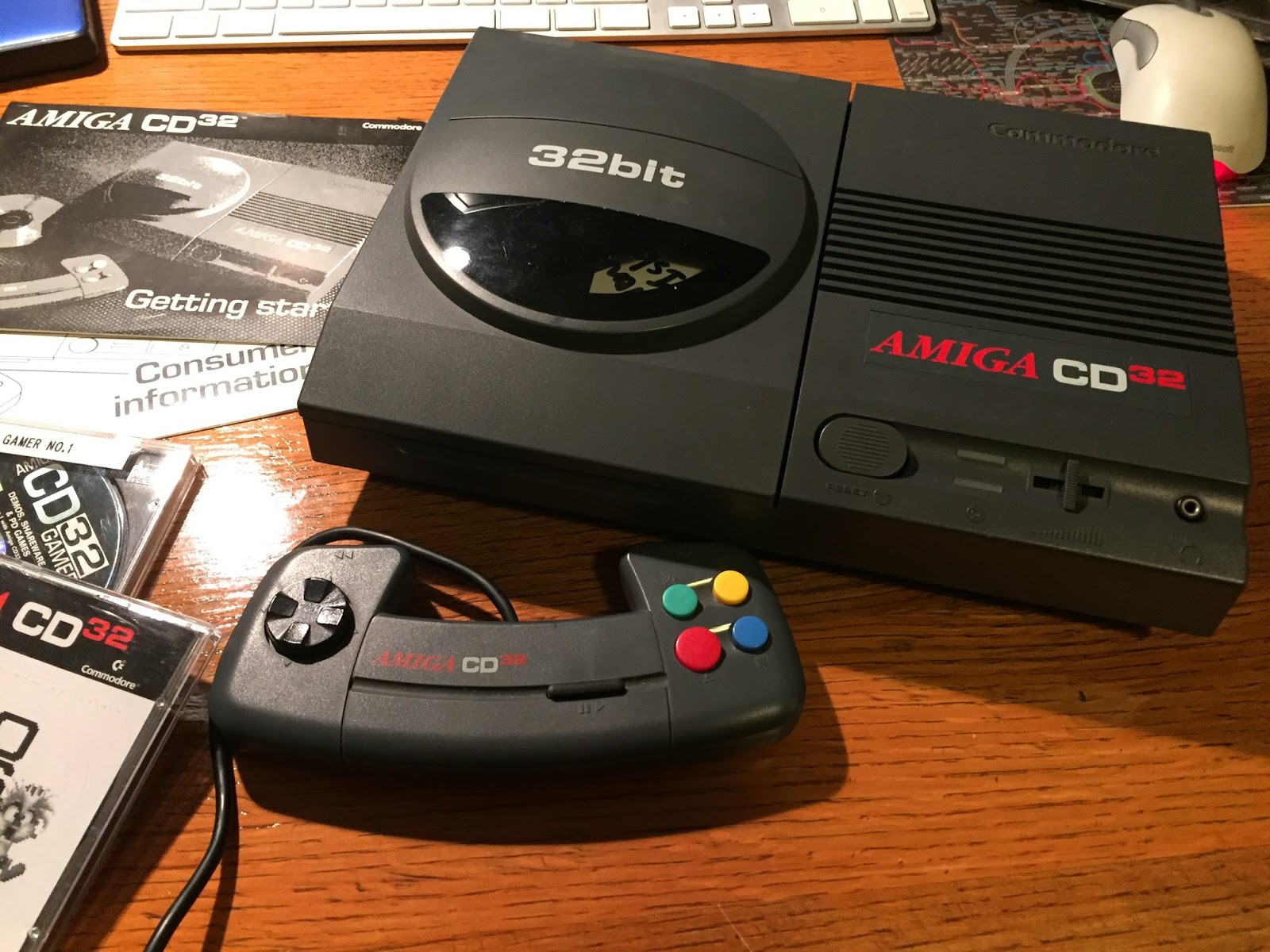
Commodore CD32: The Amiga Enters the Console Era
Released in 1993, the Commodore CD32 brought the Amiga computer’s games and multimedia capabilities into a console-style system. It was Commodore’s first dedicated game console and one of the company’s final major products before its financial collapse in 1994.
Amiga technology in a console
The CD32 was built around technology from the Amiga 1200. Its 14.32 MHz 68EC020 processor and Advanced Graphics Architecture (AGA) chipset gave it colorful graphics and sound familiar to Amiga owners. The system had 2 MB of memory and a double-speed CD-ROM drive, which let games use music, speech, animation, and other data stored on disc.
A custom chip called Akiko helped the system handle graphics and CD-related tasks. The CD32 also included a standard Amiga expansion port, allowing compatible peripherals to extend its capabilities. With the right accessories, it could be connected to a keyboard, floppy drive, or other Amiga hardware, though it was sold primarily as a game console.
Games on CD
CD-ROM gave developers room to create larger games and add features that were difficult to fit on floppy disks. The CD32 library included original titles as well as conversions of Amiga games. Notable releases included Microcosm, Alien Breed: Tower Assault, Simon the Sorcerer, Guardian, and Super Stardust.
Some games made effective use of the format’s extra storage, particularly through CD audio and spoken dialogue. Others were largely ports of existing Amiga titles, and the system’s controller and game library did not always make it a compelling alternative to competing consoles.
A short-lived launch
The CD32 launched in the United Kingdom in September 1993 and was also sold in other markets. Commodore planned a North American release, but legal and financial problems prevented it from becoming a normal retail launch there. The company entered bankruptcy proceedings in 1994, disrupting production, distribution, and support for the console.
Its place in video game history
The Commodore CD32 remains an unusual chapter in the history of both the Amiga and home consoles. It showed how computer hardware could be adapted for disc-based gaming and multimedia, while its expansion options preserved a connection to the broader Amiga ecosystem. Its commercial life was brief, but the CD32 continues to interest collectors, retro gamers, and fans of Commodore’s computers.
Essential Tips for Maintaining and Enhancing Your Commodore CD32 Experience
- Use original CD32 discs or verified backups.
- Keep the lens clean for reliable loading.
- Connect a compatible controller before starting a game.
- Check region compatibility when buying games.
- Use an expansion such as the SX-1 for extra ports and storage.
- Store discs in cases away from heat and sunlight.
Use original CD32 discs or verified backups.
For the best experience with your Commodore CD32, use original game discs or verified backups made from discs you own. Clean, undamaged discs are more likely to load reliably and help protect the console’s CD drive from repeated read errors. If a backup behaves differently from the original, check that it was created correctly and is compatible with the CD32.
Keep the lens clean for reliable loading.
Keep the CD32’s optical lens clean to help games load reliably. Dust and smudges can interfere with reading discs, causing slow loading, read errors, or games that fail to start. Use a proper optical-lens cleaning method and handle the console carefully; avoid touching the lens directly or using harsh cleaners.
Connect a compatible controller before starting a game.
Connect a compatible controller before starting a game on the Commodore CD32. Some games check for a controller when they launch and may not recognize one plugged in afterward, so connecting it first can help ensure the controls work as expected.
Check region compatibility when buying games.
When buying games for the Commodore CD32, check that the disc is compatible with your console’s region. Some releases were intended for specific markets and may differ in packaging, video output, or compatibility. Confirm the game’s region and requirements with the seller before purchasing, especially when buying imported copies.
Use an expansion such as the SX-1 for extra ports and storage.
An expansion such as the SX-1 can make the Commodore CD32 more versatile by adding useful connections and storage options. Depending on its configuration, the SX-1 can provide ports for peripherals and support devices such as a keyboard or floppy drive, bringing the console closer to an Amiga computer setup. Check compatibility and installation requirements before connecting accessories, and use reliable storage media to keep your games and files accessible.
Store discs in cases away from heat and sunlight.
Store your Commodore CD32 discs in their protective cases when they’re not in use, and keep them somewhere cool and away from direct sunlight. Heat can warp discs, while prolonged sun exposure may damage their surfaces, making games harder—or impossible—to read.