
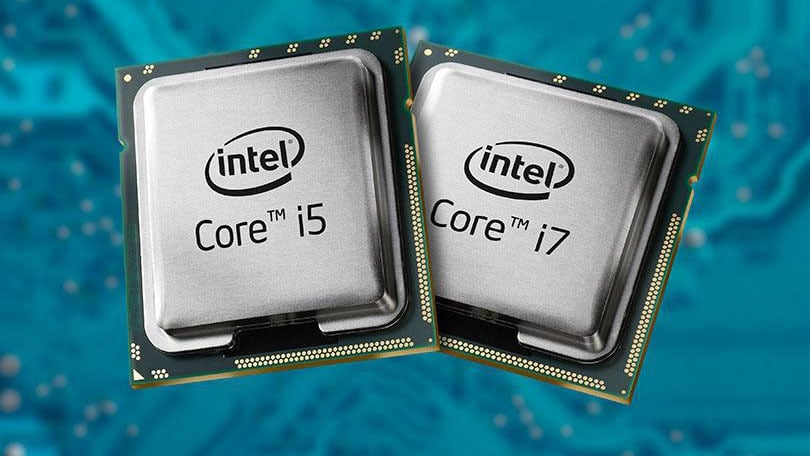
The Central Processing Unit (CPU) Processor: The Brain of Your Computer
When you turn on your computer and start using it, you are interacting with a crucial component known as the Central Processing Unit (CPU) processor. The CPU is often referred to as the “brain” of the computer because it performs most of the calculations and data processing that enable your computer to function.
The CPU processor is responsible for executing instructions from programs and managing data within the computer system. It performs tasks such as arithmetic operations, logic operations, and input/output operations. In essence, the CPU interprets instructions and carries out computations to execute tasks requested by software programs.
Modern CPUs are incredibly powerful and can handle complex operations at lightning speeds. They are designed with multiple cores, allowing them to process multiple tasks simultaneously through parallel processing. This feature significantly enhances the performance and efficiency of modern computers.
Over the years, CPU processors have evolved significantly in terms of speed, efficiency, and capabilities. Manufacturers such as Intel, AMD, and ARM continuously innovate to develop faster and more advanced CPUs that meet the demands of modern computing applications.
When choosing a computer or upgrading your existing system, understanding the specifications of the CPU processor is crucial. Factors such as clock speed, number of cores, cache size, and architecture all play a role in determining the performance capabilities of a CPU.
In conclusion, the CPU processor is a vital component that drives the functionality of your computer. Its ability to process instructions quickly and efficiently is essential for running applications smoothly and performing tasks effectively. As technology continues to advance, we can expect even more powerful and sophisticated CPU processors to shape the future of computing.
7 Essential Tips for Optimizing Your CPU Performance
- Ensure proper cooling for the CPU to prevent overheating.
- Choose a CPU with the right amount of cores and threads for your needs.
- Check compatibility with your motherboard before purchasing a new CPU.
- Consider the cache size of the CPU for improved performance.
- Regularly clean the CPU and its cooler to maintain optimal operation.
- Monitor CPU temperatures and usage to identify any potential issues early on.
- Overclocking can boost performance but may void warranties and increase power consumption.
Ensure proper cooling for the CPU to prevent overheating.
To ensure optimal performance and longevity of your CPU processor, it is essential to prioritize proper cooling measures to prevent overheating. Overheating can lead to reduced performance, system instability, and even permanent damage to the CPU. By maintaining adequate cooling through the use of quality heatsinks, fans, or liquid cooling systems, you can effectively dissipate heat generated during operation and keep your CPU operating within safe temperature limits. Regularly cleaning dust buildup and monitoring temperature levels can help safeguard your CPU from overheating issues, ensuring smooth and reliable performance for your computer system.
Choose a CPU with the right amount of cores and threads for your needs.
When selecting a CPU processor, it is essential to consider the number of cores and threads that align with your specific computing requirements. Choosing a CPU with the right amount of cores and threads can significantly impact the performance of your system. For tasks that benefit from parallel processing, such as video editing or 3D rendering, opting for a CPU with multiple cores and threads can greatly enhance efficiency and speed up processing times. On the other hand, for everyday tasks like web browsing and word processing, a CPU with fewer cores may suffice without compromising performance. By understanding your computing needs and selecting a CPU with an appropriate core and thread count, you can ensure optimal performance tailored to your usage demands.
Check compatibility with your motherboard before purchasing a new CPU.
Before purchasing a new CPU processor, it is crucial to check its compatibility with your motherboard. Different CPUs require specific socket types and chipsets to function properly, so ensuring that the CPU you choose is compatible with your motherboard is essential for a successful upgrade. By verifying compatibility beforehand, you can avoid potential issues such as the CPU not being recognized or the system failing to boot. Taking the time to check compatibility will help you make an informed decision and ensure a seamless integration of the new CPU into your computer system.
Consider the cache size of the CPU for improved performance.
When selecting a CPU processor, it is important to consider the cache size as it can significantly impact performance. The cache serves as a high-speed memory storage that allows the CPU to access frequently used data quickly, reducing the time needed to fetch information from the main memory. A larger cache size can lead to improved performance by enabling the CPU to retrieve data more efficiently, especially for tasks that involve repetitive operations or large datasets. Therefore, paying attention to the cache size of the CPU can help enhance overall system responsiveness and speed up computing tasks.
Regularly clean the CPU and its cooler to maintain optimal operation.
Regularly cleaning the CPU and its cooler is essential for maintaining optimal operation of your computer system. Dust and debris can accumulate over time, leading to overheating and reduced performance. By keeping the CPU and cooler clean, you ensure efficient heat dissipation, which is crucial for preventing thermal throttling and prolonging the lifespan of your processor. Regular maintenance not only helps maintain stable performance but also contributes to the overall health and longevity of your CPU processor.
Monitor CPU temperatures and usage to identify any potential issues early on.
Monitoring CPU temperatures and usage is a crucial tip to ensure the optimal performance and longevity of your computer system. By keeping an eye on these metrics, you can identify any potential issues early on before they escalate into more significant problems. High CPU temperatures can indicate inadequate cooling or excessive workload, leading to overheating and potential hardware damage. Similarly, monitoring CPU usage can help you pinpoint any processes that are consuming excessive resources, causing slowdowns or system instability. Regularly checking CPU temperatures and usage allows you to take proactive measures such as adjusting cooling solutions, optimizing software settings, or addressing any underlying issues promptly to maintain your system’s health and performance.
Overclocking can boost performance but may void warranties and increase power consumption.
Overclocking, the practice of increasing a CPU processor’s clock speed beyond its factory settings, can indeed boost performance and improve overall system speed. However, it is important to note that overclocking may void warranties provided by the manufacturer and can lead to increased power consumption and heat generation. Users should proceed with caution when overclocking their CPUs, as it can potentially shorten the lifespan of the processor if not done properly. It is advisable to research thoroughly and understand the risks involved before attempting to overclock a CPU processor.