
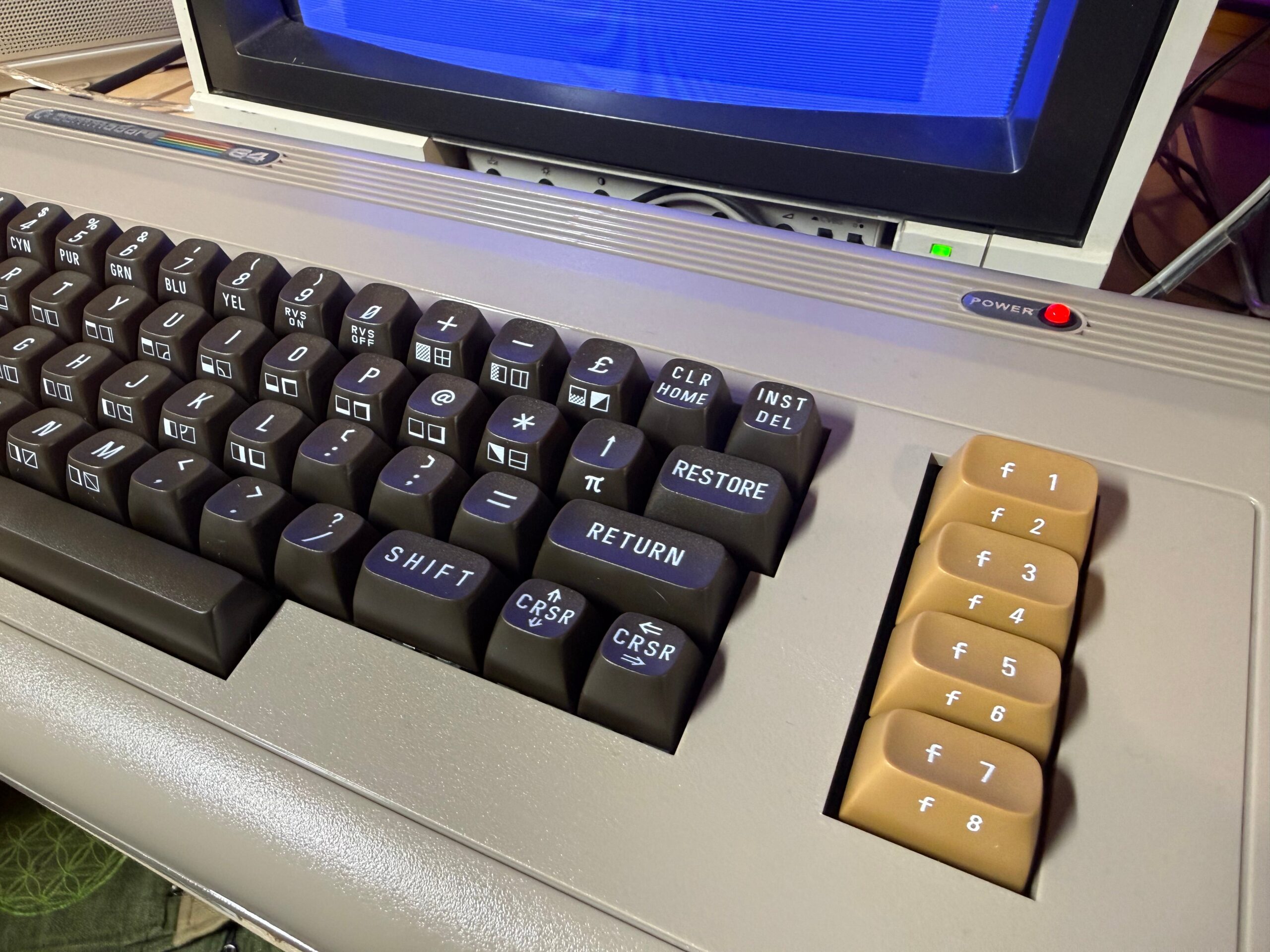
The Legacy of the Old Commodore Computer
Commodore computers hold a special place in the hearts of many technology enthusiasts and computer history buffs. These iconic machines, produced by Commodore International, played a significant role in shaping the personal computing landscape during the 1970s and 1980s.
One of the most famous models, the Commodore 64, released in 1982, became one of the best-selling home computers of all time. Its affordability and impressive capabilities made it a popular choice for both casual users and budding programmers.
Another notable model was the Commodore Amiga series, known for its advanced multimedia capabilities and innovative graphical user interface. The Amiga line set new standards for graphics and sound quality in personal computers and gained a loyal following among creative professionals.
Despite their age, old Commodore computers continue to be cherished by collectors, retro computing enthusiasts, and hobbyists who appreciate their historical significance and nostalgic charm. Many users still enjoy tinkering with these vintage machines, exploring their capabilities, and reliving the early days of personal computing.
While modern technology has far surpassed the capabilities of these old Commodore computers, their impact on the industry is undeniable. They paved the way for future innovations in computing and inspired generations of users to explore the possibilities of technology.
In conclusion, the legacy of the old Commodore computer lives on through its enduring popularity among collectors and enthusiasts. These iconic machines will always hold a special place in computer history as pioneers that helped shape the digital world we know today.
Exploring the Legacy of Commodore Computers: Answers to 6 Frequently Asked Questions
- When was the Commodore 64 released?
- What made the Commodore 64 so popular?
- How does the performance of old Commodore computers compare to modern systems?
- Are old Commodore computers still functional and usable today?
- What are some popular games or software titles available for old Commodore computers?
- Where can I find resources and communities dedicated to old Commodore computers?
When was the Commodore 64 released?
The Commodore 64, a beloved icon in the world of vintage computing, was released to the public in August 1982. This groundbreaking home computer quickly became a bestseller, capturing the hearts and minds of users with its affordability, impressive capabilities, and extensive software library. The release of the Commodore 64 marked a significant milestone in personal computing history, solidifying its place as one of the most popular and influential machines of its time.
What made the Commodore 64 so popular?
The Commodore 64’s popularity can be attributed to a combination of factors that set it apart from other computers of its time. Its affordability made it accessible to a wide audience, including families and students looking for an entry point into personal computing. The Commodore 64’s impressive hardware capabilities, such as its advanced sound and graphics for the era, made it a versatile machine for both gaming and productivity tasks. Additionally, its extensive software library and support for peripherals further enhanced its appeal, creating a robust ecosystem that catered to various interests and needs. Overall, the Commodore 64’s affordability, capabilities, software support, and versatility all contributed to its widespread popularity and enduring legacy in the world of personal computing.
How does the performance of old Commodore computers compare to modern systems?
When comparing the performance of old Commodore computers to modern systems, it is important to acknowledge the vast technological advancements that have taken place since the heyday of these vintage machines. Old Commodore computers, while groundbreaking for their time, are significantly outmatched by the processing power, memory capacity, and overall performance of modern systems. The computing capabilities of old Commodore computers may seem primitive by today’s standards, with slower processing speeds, limited memory capacity, and basic graphics and sound capabilities. However, despite their technical limitations, these vintage machines continue to hold a special place in computer history and are cherished for their historical significance and nostalgic appeal among collectors and retro computing enthusiasts.
Are old Commodore computers still functional and usable today?
Old Commodore computers, such as the Commodore 64 and Amiga series, continue to be functional and usable today for enthusiasts and collectors who appreciate retro computing. While these machines may require some maintenance and occasional repairs due to their age, many users have found ways to keep them operational through hardware upgrades, software emulation, and modern peripherals. With dedicated communities offering support and resources, old Commodore computers can still be enjoyed for gaming, programming, and nostalgia purposes, showcasing the enduring appeal of these iconic devices in the digital age.
What are some popular games or software titles available for old Commodore computers?
Many popular games and software titles were available for old Commodore computers, contributing to their lasting legacy in the world of retro computing. Classic games such as “The Bard’s Tale,” “Maniac Mansion,” “Impossible Mission,” and “Lode Runner” were beloved by gamers of the era and are still fondly remembered today. Additionally, productivity software like “Easy Script” and graphic design programs such as “Deluxe Paint” showcased the versatility and capabilities of Commodore computers. These iconic titles not only entertained users but also demonstrated the creative potential of these vintage machines, making them cherished artifacts in the history of computing.
Where can I find resources and communities dedicated to old Commodore computers?
For those seeking resources and communities dedicated to old Commodore computers, there are several online platforms and forums that cater to enthusiasts of these vintage machines. Websites such as Lemon64, Commodore.ca, and Vintage Computer Forums offer a wealth of information, including manuals, software downloads, troubleshooting tips, and discussions on all things Commodore. Additionally, social media groups on platforms like Facebook and Reddit provide avenues for connecting with like-minded individuals who share a passion for preserving the history and legacy of old Commodore computers. By engaging with these resources and communities, users can tap into a rich network of knowledge and support for their retro computing interests.