
Alienware Computers: A Brief History and Overview
Alienware is a computer brand known for gaming-focused desktops and laptops. Its systems are designed for demanding games and other performance-intensive tasks, combining powerful processors and graphics with distinctive styling. The brand has become one of the most recognizable names in PC gaming.
Origins
Alienware was founded in 1996 in Miami, Florida, by Nelson Gonzalez and Alex Aguila. The company initially built custom computers for customers who wanted high-performance systems, especially for PC gaming. Its name and science-fiction-inspired designs helped set it apart from more traditional computer manufacturers.
In 2006, Dell acquired Alienware. The brand continued as a distinct line within Dell, drawing on Dell’s manufacturing and support resources while maintaining its focus on gaming hardware.
What Makes an Alienware Computer?
Alienware computers are built around performance. Depending on the model and configuration, they may include powerful CPUs, dedicated graphics cards, fast memory, solid-state storage, and high-refresh-rate displays. These components can support modern games, streaming, video editing, 3D work, and other demanding applications.
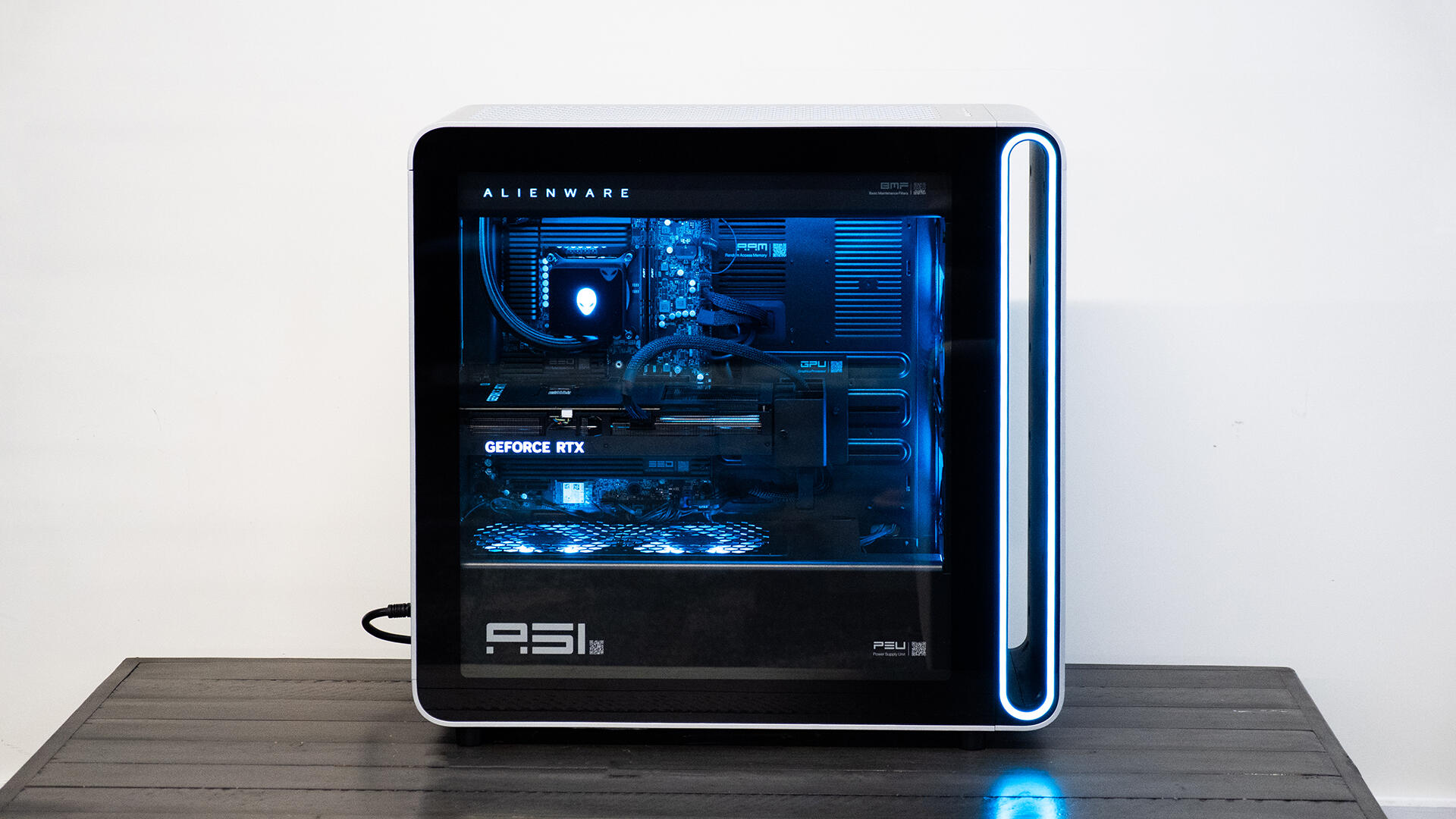
Alienware systems are also known for their bold appearance. Many feature angular cases, customizable lighting, and the brand’s alien-head logo. Desktop models are designed to offer space for powerful components and cooling systems, while laptops balance gaming performance with portability.
Desktops and Laptops
Alienware has produced several well-known desktop families, including the Area-51 and Aurora lines. These systems have changed over time, with different generations offering different case designs, components, and upgrade options. Alienware laptops have likewise appeared in a range of sizes and configurations, including models aimed at users who want a portable gaming PC.
Product names and available configurations change over the years, so buyers should check current specifications before choosing a system. Important details include the graphics card, processor, memory, storage capacity, display, cooling design, and available ports.
Strengths and Considerations
A major advantage of an Alienware computer is that it comes as a ready-to-use system, with components selected and assembled by the manufacturer. This can be convenient for people who prefer not to build or configure a PC themselves. Alienware systems also offer a recognizable design and a range of performance options.
However, Alienware computers can cost more than some comparable systems, partly because of their premium branding and design. Upgrade options vary by model, especially in laptops, where many components are built into the system. Anyone comparing computers should look beyond the brand name and compare specifications, price, warranty, cooling, and upgradeability.
Alienware’s Place in PC Gaming
Alienware helped bring high-performance gaming computers into the mainstream by making them a visible, dedicated product category. Its systems have appeared in homes, gaming events, and esports environments, and the brand has built a following among PC gamers.
Today, Alienware remains part of the broader PC gaming market. Its computers appeal to people who value performance, distinctive design, and the convenience of a prebuilt system. As with any computer purchase, the best choice depends on the user’s budget, preferred games, and plans for future upgrades.
7 Key Advantages of Alienware Computers
- Powerful gaming performance
- Distinctive, customizable design
- Wide range of desktop and laptop options
- Convenient prebuilt configurations
- High-quality displays on many models
- Strong cooling on select systems
- Recognized gaming brand
5 Drawbacks of Alienware Computers to Consider Before Buying
- Often more expensive than comparable gaming PCs.
- Some models offer limited upgrade options.
- Large desktops can take up considerable space.
- Gaming laptops may run hot and loud under heavy loads.
- Distinctive styling may not appeal to everyone.
Powerful gaming performance
Alienware computers are built to deliver powerful gaming performance, with configurations that can include high-end processors, dedicated graphics cards, fast memory, and rapid storage. These components help run demanding games smoothly, support high frame rates, and produce detailed visuals. Depending on the model, an Alienware system can also handle other intensive tasks, such as streaming, video editing, and 3D rendering.
Distinctive, customizable design
Alienware computers stand out with their bold, science-fiction-inspired designs, from sculpted cases to signature lighting and alien-head details. Many models let users customize RGB lighting and other visual effects, making it easy to create a setup that reflects their personal style. This distinctive look gives an Alienware PC a strong presence on a desk, whether the goal is a subtle glow or a dramatic gaming centerpiece.
Wide range of desktop and laptop options
Alienware offers a wide range of desktop and laptop options, making it easier to find a system that fits different needs, budgets, and play styles. Desktop models can suit gamers who want powerful performance and room for upgrades, while laptops offer a more portable way to play or work. With a variety of sizes and configurations available, customers can choose the features and performance level that best match how they plan to use their computer.
Convenient prebuilt configurations
Alienware computers offer convenient prebuilt configurations for people who want a gaming-ready system without choosing and assembling every component themselves. Each configuration combines key parts—such as the processor, graphics card, memory, and storage—into a complete computer that’s ready to set up and use. This can save time and make it easier to find a system suited to a particular budget or level of performance.
High-quality displays on many models
Many Alienware computers, especially gaming laptops and monitors, offer high-quality displays with sharp resolution, vivid colors, and smooth refresh rates. These features can make games look more detailed and responsive, while also enhancing movies, creative work, and everyday use. Display specifications vary by model, so it’s worth checking the screen’s resolution, refresh rate, brightness, and color coverage before choosing a system.
Strong cooling on select systems
On select Alienware computers, robust cooling systems help manage heat during demanding gaming sessions and other intensive tasks. Depending on the model, features such as thoughtfully designed airflow, advanced fans, or liquid cooling can help components maintain performance under load. Cooling varies by system, so it’s worth checking the specifications and reviews for the particular model you’re considering.
Recognized gaming brand
Alienware is one of the most recognizable brands in PC gaming, with a long-standing reputation for building performance-focused computers. Its distinctive designs and familiar alien-head logo make its systems easy to identify, while the brand’s gaming focus can give buyers confidence that they’re choosing a computer designed with gamers in mind.
Often more expensive than comparable gaming PCs.
Alienware computers are often more expensive than gaming PCs with similar specifications. Part of the price may reflect the brand’s distinctive design, prebuilt convenience, and included support, but shoppers can sometimes find comparable processors and graphics cards in less expensive systems. Comparing component specs, warranty coverage, and upgrade options can help determine whether the added cost is worthwhile.
Some models offer limited upgrade options.
One drawback of some Alienware computers is that they offer limited upgrade options. In laptops, components such as memory or storage may be difficult or impossible to replace, while certain desktop models may use specialized parts or compact layouts that make upgrades less convenient. This can make it harder to improve performance later, so it’s worth checking a model’s upgradeability before buying.
Large desktops can take up considerable space.
Alienware’s large desktop computers can take up considerable space, making them a challenge for users with compact desks, small rooms, or limited floor area. Before choosing a model, measure the available space and allow extra room for cables and airflow to help keep the system properly ventilated.
Gaming laptops may run hot and loud under heavy loads.
Alienware gaming laptops pack powerful components into compact cases, which can make heat and fan noise noticeable during demanding games or other intensive tasks. Their cooling systems work to keep performance stable, but fans may become loud under heavy loads, and the chassis can feel warm. Good airflow, regular cleaning, and balanced performance settings can help manage heat and noise.
Distinctive styling may not appeal to everyone.
Alienware computers are known for their bold, futuristic styling, often featuring angular cases, distinctive lighting, and prominent branding. While this look appeals to many gamers, it may feel too flashy or unconventional for people who prefer a simple, understated design—especially in a professional setting or shared space.