
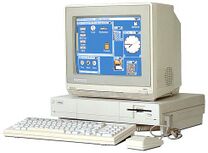
Exploring the Commodore Amiga Emulator
The Commodore Amiga was a groundbreaking computer system that revolutionized the home computing industry in the 1980s and 1990s. Today, enthusiasts and nostalgia-seekers can relive the magic of the Amiga through emulators.
An emulator is a software program that mimics the hardware and software of a different computer system, allowing users to run programs and games designed for that system on modern computers. The Commodore Amiga emulator enables users to run classic Amiga software, games, and applications on their current machines.
With a Commodore Amiga emulator, users can experience the iconic graphics, sound capabilities, and user interface of the original system. Whether you want to play classic games like “Lemmings” or “The Secret of Monkey Island,” or explore productivity software like Deluxe Paint, the emulator provides a gateway to the rich library of Amiga software.
Emulators often offer features such as save states, which allow users to save their progress in a game at any point and resume later. They also typically support customization options for screen resolution, input devices, and audio settings to enhance the user experience.
For those who grew up with the Commodore Amiga or are curious about its legacy, exploring the platform through an emulator can be a nostalgic journey. It’s a way to revisit old favorites, discover hidden gems, and appreciate the innovation that defined an era in computing history.
Whether you’re a seasoned enthusiast or a newcomer to the world of retro computing, trying out a Commodore Amiga emulator can provide hours of entertainment and insight into one of the most beloved computer systems of all time.
Everything You Need to Know About Using a Commodore Amiga Emulator: FAQs Answered
- What is a Commodore Amiga emulator?
- How do I install a Commodore Amiga emulator on my computer?
- Which are the best Commodore Amiga emulators available?
- Can I run original Amiga games and software on an emulator?
- Are there legal considerations when using a Commodore Amiga emulator?
- What are the system requirements for running a Commodore Amiga emulator?
- Is it possible to connect external devices, such as controllers, to a Commodore Amiga emulator?
- Where can I find ROMs and disk images to use with a Commodore Amiga emulator?
What is a Commodore Amiga emulator?
A Commodore Amiga emulator is a software program that replicates the hardware and software environment of the original Commodore Amiga computer system on modern computers. This emulation allows users to run classic Amiga software, games, and applications on their current machines, providing a nostalgic experience for enthusiasts and newcomers alike. By simulating the functionality of the original system, a Commodore Amiga emulator enables users to explore the iconic graphics, sound capabilities, and user interface of the Amiga platform, offering a glimpse into the rich history and innovation of this beloved computer system.
How do I install a Commodore Amiga emulator on my computer?
To install a Commodore Amiga emulator on your computer, you can follow these steps. First, you need to choose an emulator software that is compatible with your operating system. Popular options include WinUAE for Windows and FS-UAE for multiple platforms. Next, download the emulator from the official website or a trusted source. Once the download is complete, run the installer and follow the on-screen instructions to set up the emulator on your computer. After installation, you will need to obtain ROM files and disk images of Amiga software to use with the emulator. Configure the emulator settings according to your preferences, such as input devices and display options. Finally, launch the emulator and load your desired Amiga software to start enjoying the nostalgic experience of using a Commodore Amiga on your modern computer.
Which are the best Commodore Amiga emulators available?
When it comes to Commodore Amiga emulators, there are several top choices that enthusiasts often recommend. Popular options include WinUAE, FS-UAE, and PUAE. WinUAE is known for its high compatibility with Amiga software and games, as well as its extensive customization options. FS-UAE stands out for its user-friendly interface and cross-platform support, making it a versatile choice for different operating systems. PUAE is praised for its simplicity and efficiency in running Amiga software smoothly. Each of these emulators has its own strengths and features, so users can choose the one that best suits their preferences and needs when exploring the world of Commodore Amiga emulation.
Can I run original Amiga games and software on an emulator?
Many users frequently ask the question: “Can I run original Amiga games and software on an emulator?” The answer is yes! A Commodore Amiga emulator allows you to run original Amiga games, software, and applications on modern computers. By mimicking the hardware and software of the original system, the emulator enables users to experience the nostalgia of classic Amiga titles and explore the rich library of software that defined the era. Whether you’re looking to play iconic games or delve into productivity tools, running original Amiga content on an emulator offers a gateway to reliving the magic of this legendary computer system.
Are there legal considerations when using a Commodore Amiga emulator?
When using a Commodore Amiga emulator, it is important to consider the legal implications to ensure compliance with copyright and intellectual property laws. While emulators themselves are not illegal, the ROMs and disk images used with the emulator must be obtained legally. Users should only use software that they own or have permission to use, as downloading or distributing copyrighted material without authorization is against the law. Additionally, some software may still be protected by copyright even if it is no longer commercially available. It is advisable to research and understand the legal considerations surrounding the use of a Commodore Amiga emulator to enjoy retro computing responsibly and ethically.
What are the system requirements for running a Commodore Amiga emulator?
When considering running a Commodore Amiga emulator, it is important to take into account the system requirements to ensure smooth and optimal performance. Typically, the system requirements for running a Commodore Amiga emulator include a modern computer with a decent CPU (Central Processing Unit) and GPU (Graphics Processing Unit), sufficient RAM (Random Access Memory) to handle emulation processes, and ample storage space for storing emulator software and ROMs. Additionally, having a compatible operating system that supports the emulator is essential for seamless functionality. By meeting these system requirements, users can enjoy a nostalgic journey into the world of Commodore Amiga emulation with minimal technical hiccups.
Is it possible to connect external devices, such as controllers, to a Commodore Amiga emulator?
Users frequently ask whether it is possible to connect external devices, such as controllers, to a Commodore Amiga emulator. The answer is yes! Most Commodore Amiga emulators support the use of external devices like USB controllers, joysticks, and gamepads to enhance the gaming experience. By configuring the emulator settings, users can map the buttons and controls of their external devices to emulate the functionality of original Amiga peripherals. This feature allows users to enjoy playing classic Amiga games with authentic input methods, bringing a nostalgic and immersive gaming experience to modern systems.
Where can I find ROMs and disk images to use with a Commodore Amiga emulator?
When looking for ROMs and disk images to use with a Commodore Amiga emulator, it is important to remember that downloading or distributing copyrighted material without permission is illegal. To find legal ROMs and disk images for your emulator, consider checking out websites that offer public domain or freely distributable software. Some websites dedicated to retro computing may also provide legally obtained ROMs and disk images for use with emulators. Additionally, creating your own disk images from original software you own is a legitimate way to enjoy classic Amiga programs on your emulator while respecting copyright laws. Remember to always verify the legality of the content you are downloading to ensure a safe and ethical emulation experience.