
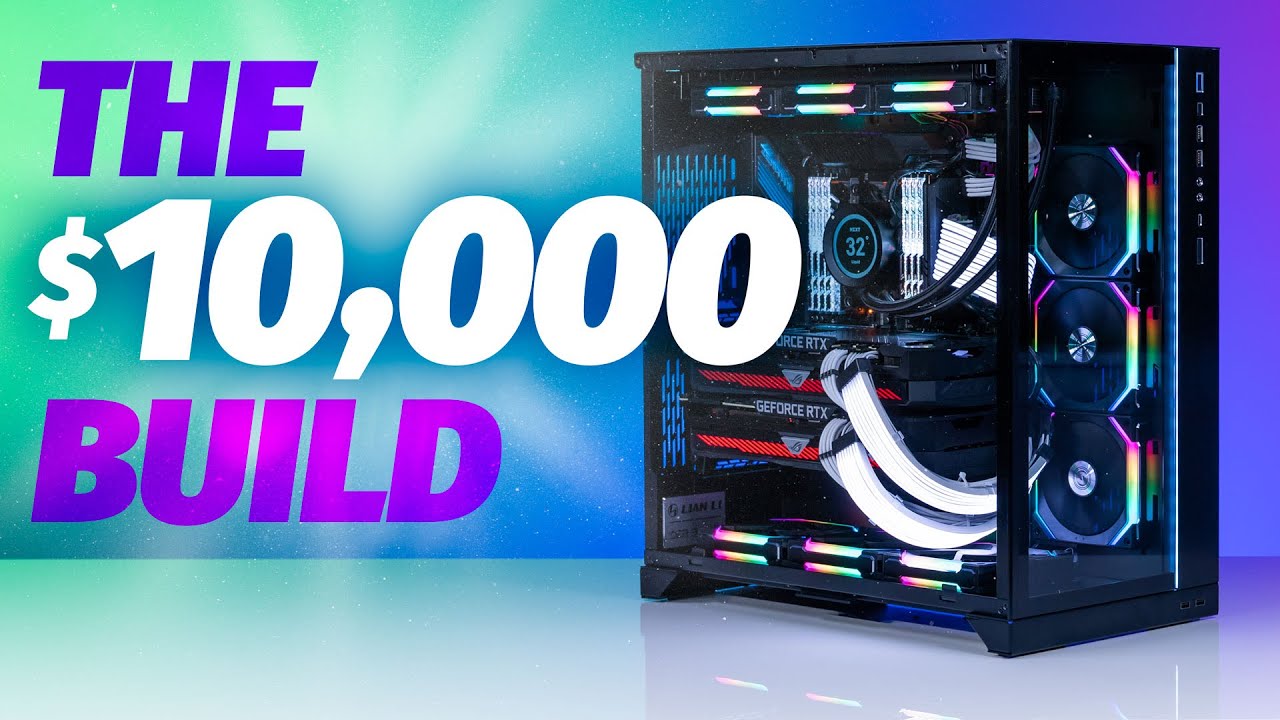
RTX 3090 PC: Performance, Specifications, and Buying Advice
An RTX 3090 PC combines high-end graphics performance with a generous amount of video memory, making it useful for more than gaming. Although newer graphics cards offer better efficiency and more advanced features, a desktop built around the NVIDIA GeForce RTX 3090 can still handle demanding games, 3D rendering, video editing, and certain local AI workloads.
The key question is value. An RTX 3090 system makes the most sense when its price, condition, and supporting components compare favorably with newer alternatives.
What Is an RTX 3090 PC?
An RTX 3090 PC is a desktop computer equipped with NVIDIA’s GeForce RTX 3090 graphics card. Released in September 2020, the RTX 3090 belongs to the Ampere generation and was designed for high-end gaming and demanding creative applications.
Its standout feature is 24GB of GDDR6X video memory. That capacity gives it room for large textures, complex 3D scenes, and memory-intensive workloads that can overwhelm graphics cards with less VRAM.
RTX 3090 Key Specifications
- Architecture: NVIDIA Ampere
- CUDA cores: 10,496
- Video memory: 24GB GDDR6X
- Memory interface: 384-bit
- Reference graphics card power: 350 watts
- Interface: PCI Express 4.0 x16
- Supported technologies: Hardware-accelerated ray tracing, DLSS Super Resolution, and NVIDIA Reflex in compatible games
Clock speeds, dimensions, power connectors, and power limits vary by manufacturer. Factory-overclocked models may require more power and cooling than the reference design.
How Well Does an RTX 3090 PC Handle Gaming?
The RTX 3090 remains capable of strong 1440p performance and 4K gaming. Actual frame rates depend on the game, graphics settings, processor, and whether ray tracing is enabled.
At 1440p, it can deliver high frame rates in many titles, making it suitable for high-refresh-rate monitors. At 4K, demanding newer games may require adjusted settings or DLSS Super Resolution to maintain smoother performance.
Ray tracing places a substantial load on the GPU. The RTX 3090 supports it, but newer graphics architectures can handle these effects more efficiently. It also does not support NVIDIA’s RTX 40-series DLSS Frame Generation or RTX 50-series Multi Frame Generation features.
Where 24GB of VRAM Makes a Difference
For many buyers, the strongest reason to choose an RTX 3090 PC is its memory capacity rather than its gaming speed alone.
- 3D rendering: Large scenes and detailed assets can benefit from additional GPU memory in compatible rendering applications.
- Video production: GPU-accelerated effects, complex timelines, and certain high-resolution workflows can benefit from its performance and memory.
- Local AI: Its 24GB capacity can accommodate some models and workloads that do not fit on lower-memory cards. Requirements still depend on model size, quantization, software, and context length.
- Texture-heavy games and mods: Additional VRAM provides headroom, although memory capacity alone does not guarantee higher frame rates.
Recommended Components for an RTX 3090 Build
Processor
A capable six-core or eight-core processor is a sensible starting point for gaming. CPU-intensive creative applications may benefit from additional cores. At high frame rates and lower resolutions, processor performance becomes especially important.
System Memory and Storage
For a balanced system, 32GB of RAM and a 1TB or larger NVMe SSD are practical choices. Content creation, heavy multitasking, and local AI workloads may justify 64GB or more of system memory.
Power Supply
NVIDIA specified a 750-watt minimum system power supply for the Founders Edition under its reference system assumptions. A quality 850-watt unit is often a more comfortable choice, while power-hungry processors or heavily overclocked cards may warrant additional capacity. The specific card manufacturer’s guidance should take priority.
Case and Cooling
RTX 3090 cards are large and produce considerable heat. Check GPU length, slot thickness, and power-cable clearance before choosing a case. Good airflow is essential, particularly because GDDR6X memory temperatures can run high under sustained workloads.
What to Check Before Buying a Used RTX 3090 PC
A used system can offer good value, but its condition matters as much as its specifications. Request a demonstration under sustained load and check for crashes, visual artifacts, excessive temperatures, and unusually loud fans.
Inspect the power supply model, GPU connectors, and overall build quality. Ask about repairs, overclocking, mining history, and any remaining warranty coverage. Previous mining use is not automatic proof of damage, but it makes careful testing especially important.
Compare the complete system with newer PCs at similar prices. A newer graphics card may offer lower electricity consumption, quieter operation, better ray tracing, and a stronger warranty, even if it has less VRAM.
Is an RTX 3090 PC Still Worth Buying?
An RTX 3090 PC can still be a worthwhile purchase for buyers who need 24GB of VRAM or find a well-maintained system at a competitive price. It remains versatile enough for gaming and demanding GPU-accelerated work.
For a gaming-only purchase, however, memory capacity should not be the deciding factor. The best choice depends on total system cost, real-world performance, power consumption, condition, and the features available from newer alternatives.
RTX 3090 PC FAQs: 4K Gaming, CPU Pairing, Power, RAM, AI, and Buying Tips
- How well does an RTX 3090 PC perform in 4K gaming?
- What CPU pairs well with an RTX 3090?
- How much power does an RTX 3090 PC need?
- What power supply is recommended for an RTX 3090 PC?
- How much RAM should an RTX 3090 PC have?
- Is an RTX 3090 PC still worth buying?
- Can an RTX 3090 PC run modern games with ray tracing?
- Is 24GB of VRAM on the RTX 3090 useful for AI and content creation?
- What should I check before buying a used RTX 3090 PC?
How well does an RTX 3090 PC perform in 4K gaming?
An RTX 3090 PC delivers strong 4K gaming performance and can run many games at high settings with smooth frame rates. In newer, more demanding titles—especially with ray tracing enabled—you may need to lower some settings or use DLSS Super Resolution to maintain performance. Results vary by game and system components, but the RTX 3090’s 24GB of VRAM provides plenty of room for high-resolution textures.
What CPU pairs well with an RTX 3090?
A good CPU pairing for an RTX 3090 depends on how you’ll use the PC. For gaming, a modern 6- or 8-core processor—such as an AMD Ryzen 5 or Ryzen 7, or an Intel Core i5 or Core i7 from a recent generation—can provide strong performance; choose a higher-end model if you’re targeting high frame rates or also doing demanding creative work. For 3D rendering, video production, and other heavily threaded tasks, a CPU with more cores may be worthwhile. Check compatibility with the motherboard and make sure the processor won’t bottleneck the RTX 3090 at your target resolution and settings.
How much power does an RTX 3090 PC need?
An RTX 3090 PC needs a high-quality power supply sized for the entire system, not just the graphics card. The RTX 3090 Founders Edition is rated at 350 watts, and NVIDIA recommends at least a 750-watt PSU for a typical system; an 850-watt unit can provide more headroom for a powerful processor, factory-overclocked card, or future upgrades. Check the specific card maker’s recommendation, use the required power cables, and choose a reputable PSU rather than relying on wattage alone.
What power supply is recommended for an RTX 3090 PC?
For an RTX 3090 PC, a high-quality 850-watt power supply is a sensible recommendation for most builds, providing headroom for power spikes and a capable processor. NVIDIA lists 750 watts as the minimum for its Founders Edition under its reference system assumptions, but the right capacity depends on the specific graphics card, CPU, and other components. Check the GPU manufacturer’s recommendation, and choose a reputable PSU with the required power connectors rather than relying on wattage alone.
How much RAM should an RTX 3090 PC have?
An RTX 3090 PC should generally have 32GB of system RAM for a balanced gaming and everyday computing experience. While 16GB can be enough for many games, 32GB provides more headroom for demanding titles, multitasking, and background applications. For video editing, complex 3D projects, or memory-intensive local AI workloads, consider 64GB or more, depending on the software and project requirements. The RTX 3090’s 24GB of dedicated video memory is separate from system RAM and does not replace it. Before upgrading, check your motherboard’s memory compatibility and capacity limits.
Is an RTX 3090 PC still worth buying?
An RTX 3090 PC can still be worth buying if it is competitively priced, in good condition, and suited to your needs. Its 24GB of GDDR6X memory is particularly useful for 3D rendering, video editing, and certain local AI workloads, while its gaming performance remains capable at 1440p and 4K with appropriate settings. However, newer graphics cards may offer better power efficiency, stronger ray tracing performance, and newer features. Before buying, compare similarly priced systems and check the RTX 3090 PC’s cooling, power supply, warranty, and performance under load—especially if it is used.
Can an RTX 3090 PC run modern games with ray tracing?
Yes, an RTX 3090 PC can run many modern games with ray tracing enabled, often at high settings and 1440p or 4K, depending on the game and the rest of the system. Ray tracing can significantly reduce frame rates, so using DLSS Super Resolution or lowering some graphics settings may help keep gameplay smooth. Performance varies by title, and the RTX 3090 does not support newer NVIDIA features such as DLSS Frame Generation, so results may differ from those on more recent graphics cards.
Is 24GB of VRAM on the RTX 3090 useful for AI and content creation?
Yes, the RTX 3090’s 24GB of VRAM is useful for AI and content creation because it allows larger models, datasets, and complex visual assets to fit in GPU memory. For local AI, this capacity can support inference and some fine-tuning workloads that exceed the memory limits of lower-VRAM graphics cards, although requirements depend on model size, quantization, and software. For content creation, it provides headroom for detailed 3D scenes, high-resolution textures, GPU rendering, and demanding video effects. However, more VRAM does not automatically make every task faster; performance also depends on GPU processing power, software support, and the rest of the PC.
What should I check before buying a used RTX 3090 PC?
Before buying a used RTX 3090 PC, ask to test it under sustained load and watch for crashes, visual artifacts, unusually high temperatures, or loud fans. Confirm the exact graphics card model, power supply, and cooling setup, and make sure the case has enough space and airflow for the card. Ask about repairs, overclocking, mining use, and any remaining warranty, then compare the system’s total price with newer alternatives. A well-maintained RTX 3090 can still be powerful, but its condition and the quality of the other components matter.