
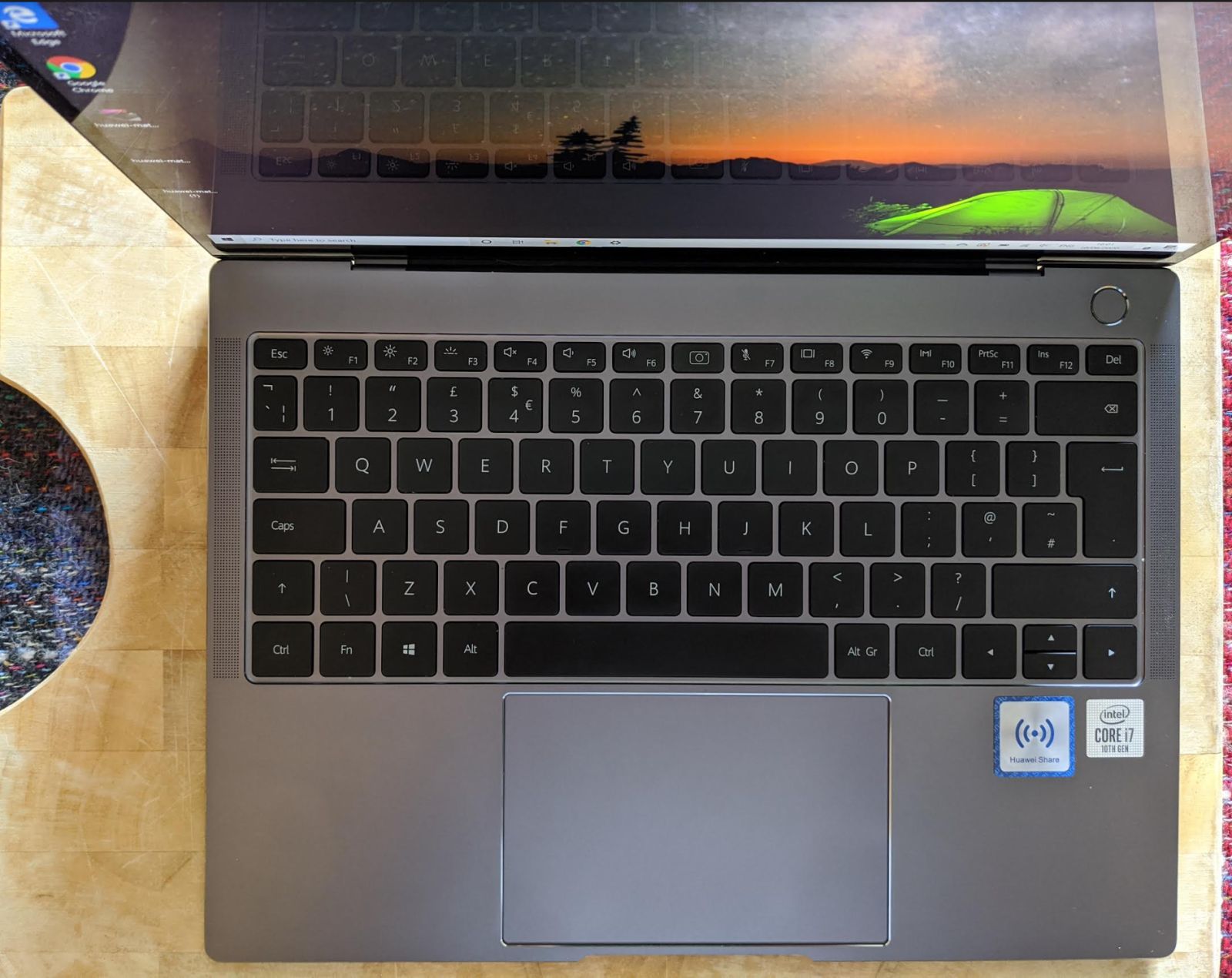
Huawei Computers: A Look at the MateBook and Beyond
Huawei is best known around the world for telecommunications equipment and smartphones, but the company also makes personal computers. Its computer business includes laptops for everyday and professional use, desktop systems, and business-focused devices. In many markets, Huawei’s best-known computers are part of the MateBook family.
Huawei’s Move into Personal Computers
Huawei entered the laptop market as part of a broader effort to connect its phones, tablets, wearables, and computers. The company brought experience in mobile hardware and consumer electronics to its PC designs, emphasizing slim construction, high-resolution displays, and features intended to make its devices work smoothly with other Huawei products.
Availability varies by country and model. Huawei computers are especially prominent in China, while the selection and support offered in other regions can differ.
The MateBook Laptop Family
MateBook is Huawei’s main consumer laptop brand. The range has included several types of computers, from portable models designed for travel and general productivity to larger laptops intended for demanding work. Specific configurations change over time, but MateBook devices have commonly focused on lightweight designs, metal finishes, and displays with narrow borders.
Some models have also included features such as touchscreens, cameras integrated into the keyboard, or high-resolution screens. These features are not available on every MateBook, so shoppers should check the specifications of the exact model they are considering.
Connecting Huawei Devices
A distinguishing feature of Huawei’s PC strategy is its focus on collaboration between devices. Depending on the model, software, and region, Huawei computers can work with compatible Huawei phones and tablets for tasks such as transferring files, sharing screens, or using connected devices together.
These tools are part of Huawei’s wider ecosystem, but their availability and capabilities may vary. They may also depend on using compatible devices and up-to-date software.
Desktop and Business Computers
Huawei has also offered desktop computers and systems aimed at business customers. Its MateStation products have brought the company’s design approach to desktop PCs, while its Qingyun-branded devices are associated with business and government markets, particularly in China. As with its laptops, product names, components, and availability differ by region.
Software and Availability
Huawei computers have used different software and processors depending on the product and market. Many models sold internationally have run Windows, while developments in China’s technology market have led to greater attention on locally available operating systems and components. Because these details can change, it is important to check the operating system, processor, included applications, and regional support before buying.
Huawei’s access to some technologies and services has also been affected by restrictions imposed by the United States and other governments. The practical impact on a computer depends on its model, release date, and sales region. Buyers should confirm that the software and services they rely on are supported on the specific device.
What to Consider Before Buying
When comparing a Huawei computer with alternatives, consider the intended use, screen size, battery life, keyboard and port selection, memory, storage, warranty, and local repair options. It is also worth checking compatibility with the software and accessories needed for work or school.
For people who already use Huawei phones or tablets, ecosystem features may be an added benefit. For everyone else, the most important factors are likely to be the computer’s specifications, price, software support, and availability in their region.
Huawei Computers in Context
Huawei’s computers reflect the company’s broader ambition to build a connected range of consumer and business technology. The MateBook line has helped establish Huawei as a recognizable laptop maker, while its desktop and business systems serve other parts of the PC market. As the company’s products and the technology landscape continue to evolve, checking current regional specifications is the best way to understand what a particular Huawei computer offers.
7 Advantages of Huawei Laptops: Sleek Design, Sharp Displays, and Everyday Versatility
- Slim, modern designs
- Sharp, high-resolution displays
- Lightweight options for travel
- Comfortable keyboards on many models
- Useful Huawei device-integration features
- Options for work and everyday use
- Variety of laptop sizes and configurations
Four Drawbacks of Huawei Computers: Availability, Compatibility, Repairs, and Ecosystem Limitations
- Limited availability and support in some regions.
- Compatibility with certain software and services may vary.
- Repair options and replacement parts can be harder to find.
- Some features work best within Huawei’s device ecosystem.
Slim, modern designs
Huawei computers are known for their slim, modern designs, combining clean lines with lightweight construction for a polished look that’s easy to take on the go. Their compact profiles fit comfortably into a backpack or work setup, while details such as narrow display bezels and refined finishes give many models a contemporary feel.
Sharp, high-resolution displays
Huawei computers are known for sharp, high-resolution displays that make text crisp and images detailed. This can make everyday tasks like reading, browsing, and working with documents more comfortable, while also enhancing photos, videos, and creative projects. Depending on the model, features such as vivid colors and slim screen bezels can make the viewing experience even more immersive.
Lightweight options for travel
Huawei offers lightweight computer options that are easy to carry between home, work, and travel destinations. Their slim designs can fit comfortably in a backpack or briefcase, making them convenient for commuters, students, and frequent travelers who need a portable device for work, study, or entertainment.
Comfortable keyboards on many models
Many Huawei computers are designed with comfortable keyboards that make typing feel natural during long work sessions. On many models, well-spaced keys and responsive feedback can help with everything from writing and email to everyday browsing, making the keyboard a practical advantage for students and professionals alike.
Useful Huawei device-integration features
One advantage of Huawei computers is their device-integration features, which can make everyday tasks easier when paired with compatible Huawei phones or tablets. Depending on the devices and software, users may be able to transfer files, share screens, or work across devices more seamlessly. These tools are especially useful for people already using Huawei products, though availability can vary by model and region.
Options for work and everyday use
Huawei offers computer options for both work and everyday use. Depending on the model, you can choose a portable laptop for browsing, streaming, and schoolwork, or a more powerful configuration for multitasking and productivity. This range makes it easier to find a Huawei computer that fits your routine, budget, and performance needs.
Variety of laptop sizes and configurations
Huawei offers laptops in a range of sizes and configurations, making it easier to find a model suited to different needs and budgets. Shoppers can compare compact, lightweight options for travel with larger-screen laptops for work, study, or entertainment, as well as choose from different processors, memory, and storage capacities. Because features vary by model and region, it’s a good idea to check the specifications before buying.
Limited availability and support in some regions.
One potential drawback of Huawei computers is that availability and support can vary significantly by region. Some models may be difficult to find outside select markets, and local options for warranty service, repairs, replacement parts, and technical assistance may be limited. Before buying, check whether the specific model is officially sold in your area and confirm the terms of its warranty and after-sales support.
Compatibility with certain software and services may vary.
Compatibility with certain software and services may vary on Huawei computers, depending on the model, operating system, and region. Some apps, cloud services, or workplace tools may not be available or may work differently than they do on other PCs. Before buying, check that the programs and services you rely on are supported by the specific Huawei computer you’re considering.
Repair options and replacement parts can be harder to find.
Repair options and replacement parts for Huawei computers can be harder to find, especially in regions where the brand has limited service coverage. This may make repairs take longer or cost more, and compatible parts such as batteries, keyboards, or screens may be less readily available than those for more widely supported brands. Before buying, check local warranty terms, authorized service options, and parts availability.
Some features work best within Huawei’s device ecosystem.
Some Huawei computer features work best when paired with other Huawei devices, such as a compatible phone or tablet. This can make tools for sharing files, mirroring screens, or connecting devices less convenient for people who use products from different brands. Before buying, check which features require Huawei hardware or software and whether they fit the devices you already own.