
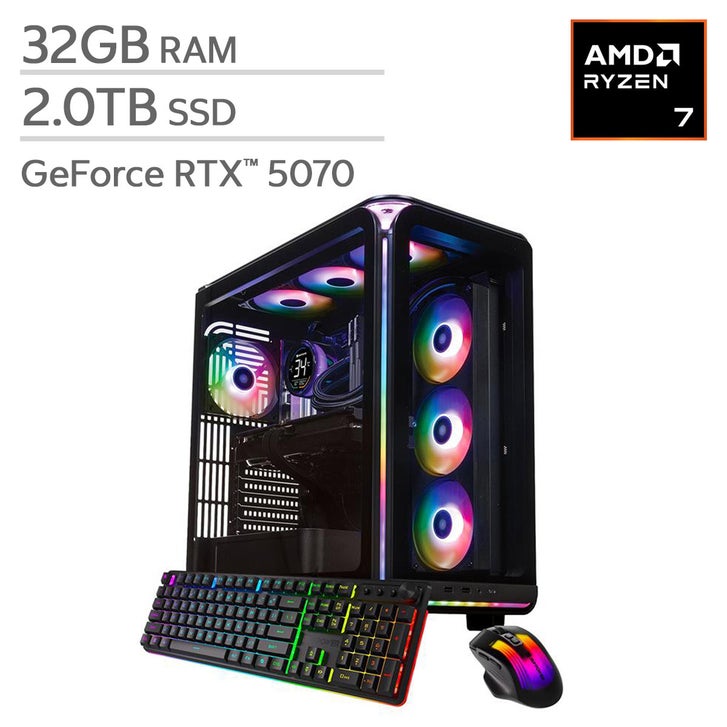
AMD PCs: A Guide to Processors, Graphics, and Choosing a System
An AMD PC is a desktop or laptop computer built around one or more components from AMD, most commonly an AMD Ryzen processor, a Radeon graphics card, or both. AMD products are used in everything from everyday home computers to gaming systems and professional workstations. The right configuration depends on what the computer needs to do, how much it should cost, and whether it will be upgraded later.
What Is an AMD PC?
The term “AMD PC” can describe a computer with an AMD processor, an AMD graphics card, or a combination of the two. Many desktop PCs use a Ryzen processor with graphics from another manufacturer, while others pair Ryzen CPUs with Radeon GPUs. Some Ryzen processors also include built-in graphics, allowing a computer to run without a separate graphics card.
AMD is a component manufacturer, not a single computer model. Buyers can choose parts and build a system themselves, or purchase a prebuilt computer from a PC maker. Laptops and compact computers with AMD components are also widely available.
AMD Ryzen Processors
Ryzen is AMD’s main processor family for consumer computers. Models are designed for different workloads, including basic productivity, gaming, content creation, and demanding professional applications. Higher model numbers and prices do not automatically make a processor the best choice for every user; the most suitable option depends on the programs being used and the rest of the system.
When comparing Ryzen processors, consider the number of cores and threads, supported memory, power requirements, and compatibility with the motherboard. Processor generations and socket types also matter, especially when planning an upgrade. Always check the motherboard manufacturer’s compatibility information before buying or installing a CPU.
Radeon Graphics
AMD’s Radeon graphics products include dedicated graphics cards as well as integrated graphics built into some processors. A dedicated GPU has its own video memory and is generally important for demanding gaming, 3D work, and other graphics-intensive tasks. Integrated graphics share system resources and can be a practical choice for everyday computing, streaming, and lighter games.
Graphics performance varies by model and by the particular game or application. A powerful graphics card may be unnecessary for basic web browsing and office work, while high-resolution gaming or professional visual workloads may benefit from a faster GPU. Check independent reviews and benchmarks for the specific tasks that matter to you.
Why Choose an AMD PC?
- Options for different budgets: AMD components are available in configurations ranging from basic systems to high-performance desktops.
- Strong multitasking potential: Many Ryzen processors offer multiple cores, which can help with workloads that use several threads.
- Integrated graphics options: Some processors can handle display output and everyday graphics tasks without a separate card.
- Choice of system configurations: Buyers can select a prebuilt computer or assemble a custom system from compatible components.
Performance, value, and power use depend on the specific components and system design. Cooling, memory configuration, software, and the quality of the power supply can all affect the experience.
How to Choose an AMD PC
Start by identifying the computer’s main purpose. A system for browsing, schoolwork, and video calls has different needs from a PC intended for gaming, video editing, or software development.
- Set a budget. Include the cost of the monitor, keyboard, mouse, and operating system if they are not included.
- Choose the processor and graphics. For everyday use, integrated graphics may be sufficient. For demanding games or graphics work, compare dedicated GPUs as well as CPUs.
- Check memory and storage. Make sure the system has enough RAM for your applications and sufficient storage for files and games.
- Confirm compatibility. For a custom build, verify that the processor, motherboard, memory, case, and cooler work together.
- Consider cooling and noise. The case and cooling setup can affect temperatures, performance, and how loud the system is under load.
- Plan for upgrades. Check the motherboard’s supported processors, memory capacity, storage connections, and available expansion slots.
Prebuilt or Custom-Built?
A prebuilt AMD PC is convenient and may include a single warranty covering the complete system. Before buying, review the exact component list. Product names alone may not reveal the motherboard, power supply, memory configuration, or storage model.
A custom-built PC offers more control over parts and can make future upgrades easier. It also requires research, assembly, and troubleshooting. Whether prebuilt or custom, a well-balanced system is usually a better choice than spending heavily on one component while limiting the others.
Final Thoughts
AMD PCs cover a wide range of needs, from straightforward home computers to powerful gaming and creator systems. The best choice is not necessarily the newest or most expensive one—it is the configuration that fits the intended workload, budget, and upgrade plans. Comparing complete systems and checking compatibility can help ensure that an AMD PC delivers the right balance of performance and value.
AMD PCs FAQ: What They Are, Gaming Performance, and How They Compare to Intel
- Which is better AMD or Intel?
- Is AMD a good PC?
- What is an AMD PC?
- Are AMD gaming PC good?
- Which PC is better, Intel or AMD?
Which is better AMD or Intel?
Neither AMD nor Intel is universally better; the right choice depends on your budget and how you use your PC. Both offer processors for everyday tasks, gaming, and demanding creative work, with performance varying by model and generation. Compare specific CPUs, prices, power use, and motherboard costs, and check benchmarks for the games or applications you care about before deciding.
Is AMD a good PC?
Yes, an AMD PC can be a great choice for gaming, work, and everyday use. AMD offers processors and graphics options across a wide range of budgets, and many systems provide strong performance for multitasking and demanding applications. The best choice depends on the specific components and what you plan to do, so compare individual models, reviews, and prices rather than choosing by brand alone.
What is an AMD PC?
An AMD PC is a desktop or laptop computer that uses one or more components made by AMD, such as a Ryzen processor or a Radeon graphics card. Some AMD PCs use a Ryzen processor with built-in graphics, while others include a separate Radeon or other graphics card. These computers are available in a range of configurations for everyday tasks, gaming, and professional work.
Are AMD gaming PC good?
Yes, AMD gaming PCs can be an excellent choice, offering Ryzen processors and Radeon graphics cards across a range of budgets and performance levels. They can handle everything from popular esports games to demanding modern titles, depending on the specific components. When choosing a system, compare reviews and game benchmarks for its exact CPU and GPU, and consider your preferred resolution, budget, cooling, and upgrade options.
Which PC is better, Intel or AMD?
Neither Intel nor AMD is automatically better—the right choice depends on your budget and how you’ll use the PC. Both offer processors suited to everyday tasks, gaming, and demanding creative work, and performance varies by specific model. Compare current benchmarks for the programs or games you use, along with price, power consumption, upgrade options, and the rest of the system. A well-balanced PC from either brand can be an excellent choice.