
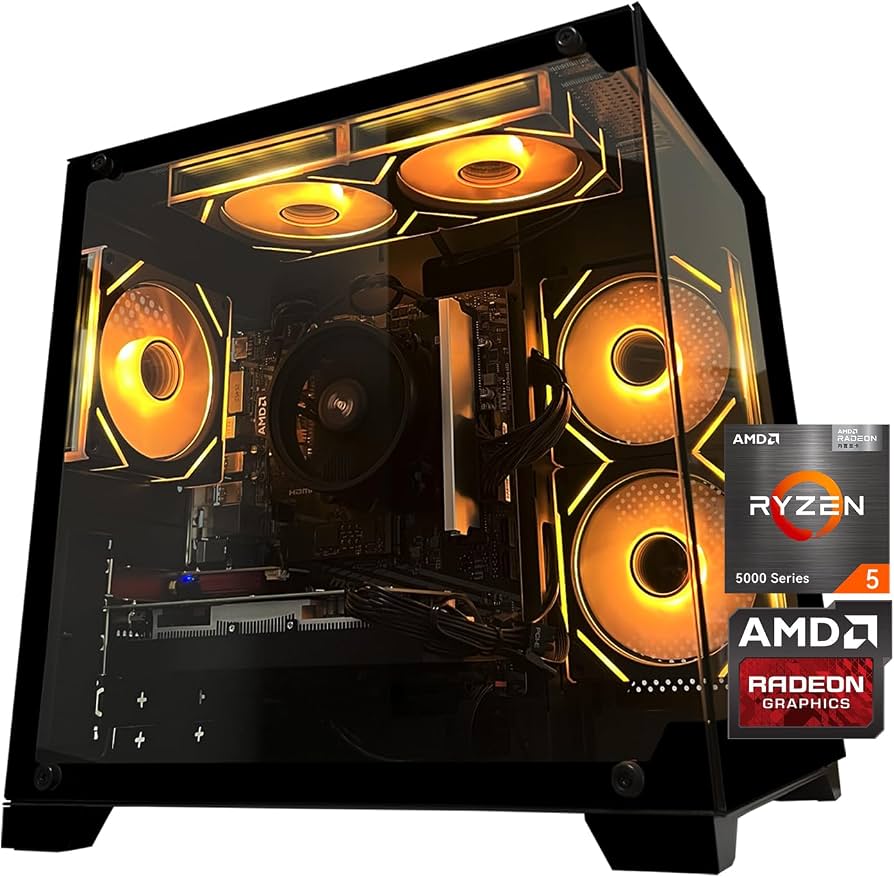
AMD Gaming PC: How to Choose the Right Components
An AMD gaming PC can deliver a great experience for everything from competitive esports to demanding single-player games. AMD offers processors and graphics cards for a wide range of budgets, and its hardware can be paired with components from other brands. The best configuration depends on the games you play, your monitor, and how much you want to spend.
What Does “AMD Gaming PC” Mean?
The term usually describes a computer with an AMD Ryzen processor, an AMD Radeon graphics card, or both. A system does not need to use AMD parts exclusively: Ryzen processors work with graphics cards from AMD, NVIDIA, and other vendors. Likewise, Radeon graphics cards can be installed in many compatible systems with processors from AMD or Intel.
Choose a Processor for Your Games
The processor, or CPU, handles game logic, background tasks, and other computing work. For a gaming build, a modern Ryzen processor with enough cores and strong per-core performance is a practical starting point. You may not need a top-tier CPU if most of your budget should go toward the graphics card.
Consider how you use your PC, too. Streaming, video editing, and running several applications while gaming can benefit from additional processing resources. Check the processor’s socket and platform requirements before buying a motherboard, and confirm that the motherboard supports the CPU.
Pick a Graphics Card That Matches Your Monitor
The graphics card, or GPU, has a major effect on gaming performance. AMD Radeon cards are available across different performance levels, but the right choice depends on the resolution and refresh rate you want. A card suited to 1080p gaming may not provide the same experience at 1440p or 4K.
- 1080p: A sensible choice for value-focused builds and high-frame-rate esports gaming.
- 1440p: A popular balance of image detail and performance; choose a GPU designed for the games and settings you expect to use.
- 4K: Demands substantially more graphics power, especially when using high settings or demanding visual effects.
Look beyond a single performance number. Game settings, ray tracing, upscaling features, and the graphics card’s memory can all affect the experience. Check independent reviews that test the card in games similar to the ones you play.
Plan the Rest of the Build
A balanced gaming PC includes more than a CPU and GPU. These components also matter:
- Motherboard: Match its socket and chipset to the CPU, and check for the ports and features you need.
- Memory: Choose a compatible memory kit with enough capacity for modern games and your other applications. Consult the motherboard’s specifications for supported memory types and configurations.
- Storage: An NVMe solid-state drive can provide fast game loading and a responsive system. Make sure it has enough capacity for your operating system, applications, and game library.
- Power supply: Select a quality unit with enough capacity and the correct power connectors for your graphics card and other components.
- Cooling and case: Confirm that the CPU cooler and graphics card fit inside the case, and provide adequate airflow.
Set a Budget Before Shopping
Start with the total amount you can spend, including the monitor and peripherals if you need them. For a gaming-focused PC, it often makes sense to prioritize the graphics card while leaving room for a capable processor, reliable power supply, and sufficient storage. Spending more on a component does not automatically improve every game, so compare benchmarks and prices before deciding.
Also account for operating-system costs, a keyboard and mouse, and any upgrades you may want later. If you already own a suitable monitor or storage drive, you may be able to put more of your budget toward graphics performance.
Build Compatibility and Setup Tips
Before purchasing parts, check compatibility across the entire system. Verify the motherboard socket, memory type, case dimensions, cooler clearance, graphics-card length, power-supply connectors, and recommended power requirements. A parts list or compatibility checker can help identify potential conflicts, but the manufacturers’ specifications should be the final reference.
After assembly, install the operating system and current drivers for the graphics card and motherboard. Keep the PC’s firmware and drivers up to date, and monitor temperatures during demanding games. If you enable memory profiles or change performance settings in firmware, test system stability afterward.
Is an AMD Gaming PC Right for You?
An AMD gaming PC can be a strong choice if you want a flexible system for gaming and everyday use. Ryzen processors and Radeon graphics cards cover a broad range of needs, while the ability to mix brands gives you more options when comparing parts. Focus on your target resolution, the games you play, and the complete system cost—not just the name on the processor or graphics card.
With compatible components and a balanced budget, an AMD-based build can provide a satisfying gaming setup today and a useful foundation for future upgrades.
7 Benefits of Choosing an AMD Gaming PC
- Wide range of CPUs and graphics cards
- Options for many budgets
- Strong gaming performance
- Great for multitasking
- Supports flexible component choices
- Plenty of upgrade options
- Suitable for gaming and everyday use
4 Drawbacks of AMD Gaming PCs
- Performance varies by model and price.
- Some games favor competing graphics cards.
- High-end components can run hot and use more power.
- Compatibility checks are needed when upgrading.
Wide range of CPUs and graphics cards
One of the biggest advantages of an AMD gaming PC is the wide range of CPUs and graphics cards available. From budget-friendly components for an entry-level build to powerful options for high-resolution gaming, AMD offers choices for different needs and price points. This variety makes it easier to balance performance and cost, whether you’re building a new PC or planning an upgrade.
Options for many budgets
One of the biggest advantages of an AMD gaming PC is the range of options for many budgets. Whether you’re building an affordable system for 1080p gaming or a more powerful PC for higher resolutions and demanding games, AMD offers processors and graphics cards at different price points. This flexibility makes it easier to prioritize the components that matter most to you and build a system that fits your budget.
Strong gaming performance
An AMD gaming PC can deliver strong gaming performance across a wide range of budgets. Pairing a capable Ryzen processor with a Radeon graphics card can provide smooth frame rates, responsive gameplay, and detailed visuals in many popular games. Choose components that match your target resolution and monitor refresh rate to get the most from your system.
Great for multitasking
AMD gaming PCs are great for multitasking, letting you play games while streaming, chatting with friends, browsing the web, or running creative apps in the background. Many AMD Ryzen processors offer multiple cores and threads to handle these workloads smoothly, so you can do more at once without interrupting your gaming session.
Supports flexible component choices
One of the biggest advantages of an AMD gaming PC is the flexibility to choose components that fit your needs and budget. You can pair a Ryzen processor with an AMD Radeon or NVIDIA graphics card, then select a motherboard, memory, storage, and other parts based on your preferred performance and features. This mix-and-match approach makes it easier to build a balanced system, reuse compatible components, and plan future upgrades.
Plenty of upgrade options
One major advantage of an AMD gaming PC is the variety of upgrade options available. You can often improve performance over time by adding more memory or storage, installing a faster graphics card, or upgrading to a compatible Ryzen processor. Because AMD systems come in a wide range of configurations, it’s easier to start with a build that fits your budget and make changes as your needs grow. Just check motherboard, power supply, and case compatibility before choosing new components.
Suitable for gaming and everyday use
An AMD gaming PC can handle both demanding games and everyday tasks with ease. When you’re not gaming, it’s well suited for browsing the web, streaming videos, joining video calls, and working with documents. That versatility makes it a practical choice for a home computer that can shift from productivity to entertainment whenever you need it.
Performance varies by model and price.
One drawback of an AMD gaming PC is that performance varies widely by model and price. Entry-level components may handle everyday tasks and lighter games well, but they can struggle with demanding titles, higher resolutions, or advanced graphics settings. More powerful Ryzen processors and Radeon graphics cards can offer a better experience, but they also cost more, so it’s important to compare reviews and benchmarks for the specific parts you’re considering.
Some games favor competing graphics cards.
Some games perform better on competing graphics cards because developers may optimize their titles for particular hardware or graphics technologies. As a result, an AMD gaming PC may deliver lower frame rates or fewer graphics features in certain games than a similarly priced system with a rival GPU. Performance varies by game, so check benchmarks for the titles you play before choosing a graphics card.
High-end components can run hot and use more power.
One potential downside of a high-end AMD gaming PC is that powerful components can generate considerable heat and draw a lot of electricity, especially during demanding games. This may require a stronger power supply, effective cooling, and a well-ventilated case, adding to the system’s cost and potentially increasing fan noise and energy bills.
Compatibility checks are needed when upgrading.
Upgrading an AMD gaming PC may require extra compatibility checks before you buy new parts. A processor must match the motherboard’s socket and firmware support, while a graphics card needs to fit inside the case and work with the power supply’s capacity and connectors. Memory, cooling, and other components can also have specific requirements, so checking manufacturer specifications first helps prevent costly surprises.