
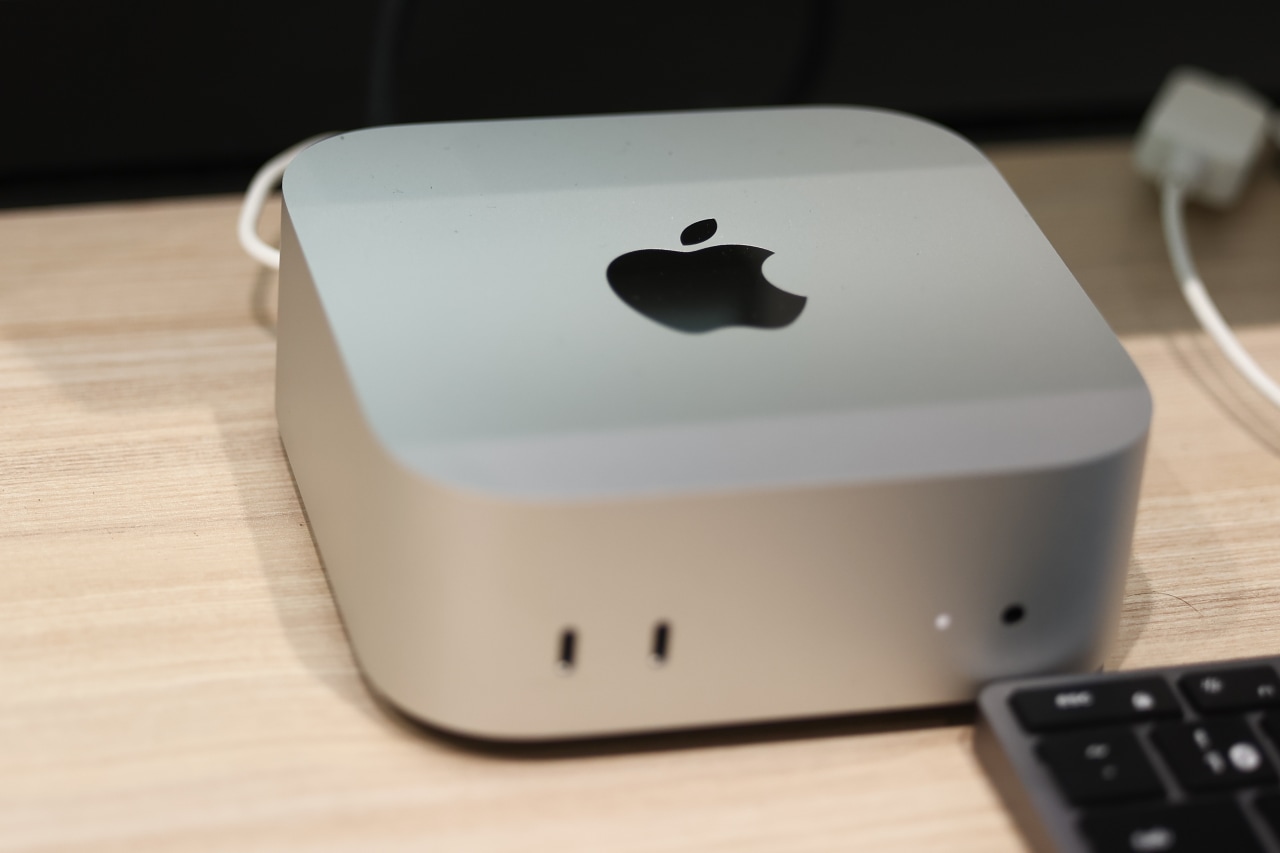
Apple Mac Computers: A History of Innovation
Apple’s Mac computers have helped shape personal computing for more than four decades. Known for their distinctive design, graphical interface, and close integration of hardware and software, Macs have been used by students, businesses, artists, developers, and home users around the world.
The First Macintosh
Apple introduced the original Macintosh on January 24, 1984. It featured a compact design, a built-in screen, and a mouse-driven graphical user interface. Instead of relying only on typed commands, users could interact with icons, windows, and menus. The Macintosh made this style of computing more approachable for many people.
The original model included a 9-inch black-and-white display, 128 kilobytes of memory, and a 3.5-inch floppy disk drive. Its capabilities were limited by today’s standards, but it established ideas that would become central to the Mac experience. Software such as MacPaint and MacWrite also demonstrated the computer’s potential for creative and everyday work.
Growth and New Models
Apple expanded the Macintosh line throughout the 1980s and 1990s. The Macintosh II introduced a more expandable design and color graphics, while the PowerBook family helped popularize the modern laptop format. The iMac, released in 1998, brought a colorful all-in-one design and helped renew interest in Apple during a challenging period for the company.
Over time, the Mac lineup grew to include desktop computers such as the iMac and Mac mini, as well as portable models such as the MacBook Air and MacBook Pro. Different models have served different needs, from everyday browsing and schoolwork to video editing, software development, and other demanding tasks.
macOS and the Mac Experience
Mac computers run macOS, Apple’s desktop operating system. macOS provides the desktop, file management, built-in apps, and tools that allow users to work with the computer. Its design has changed considerably over the years, while retaining familiar features such as the Finder, the Dock, and window-based multitasking.
Apple also designs Macs to work closely with its other products. Features such as AirDrop, iCloud, and Handoff can make it easier to move files and continue tasks between a Mac, iPhone, or iPad. The exact features available depend on the devices, software versions, and account settings being used.
From Intel to Apple Silicon
Mac computers have undergone several major processor transitions. In 2006, Apple began moving the Mac lineup from PowerPC processors to Intel processors. In 2020, the company started introducing Macs powered by Apple-designed chips, beginning with the M1. This transition brought together the processor, graphics, and other functions in a system-on-a-chip design.
Apple silicon has become a defining part of modern Macs, with different chips designed to balance performance, energy efficiency, and capabilities for tasks such as graphics and machine learning. Specific performance and features vary by model and configuration.
The Mac’s Continuing Influence
The Mac’s history reflects broader changes in personal computing: the move from command lines to graphical interfaces, the rise of portable computers, the growth of digital creativity, and the shift toward tightly integrated hardware and software. Its design and software have influenced how people use computers, while generations of Mac users have made the platform part of work, education, and popular culture.
Today, the Mac remains an important part of Apple’s product lineup. Whether used for everyday tasks or specialized creative and technical work, it continues a tradition that began with the original Macintosh: making powerful computing tools available through a carefully designed user experience.
7 Frequently Asked Questions About Apple Mac Computers
- Which is the best Mac computer?
- What is the lifespan of a Mac computer?
- Is it worth it to get a Mac computer?
- What is the best Mac for a home computer?
- How much does a new Mac computer cost?
- Is a 7 year old Mac still good?
- Which is better PC or Mac?
Which is the best Mac computer?
The best Mac computer depends on how you plan to use it. For everyday tasks, school, and travel, a MacBook Air is a lightweight, versatile choice; for demanding work such as video editing, 3D design, or software development, a MacBook Pro or a desktop Mac may be a better fit. Consider your budget, preferred screen size, portability needs, and the apps you use before choosing, since performance and features vary by model and configuration.
What is the lifespan of a Mac computer?
A Mac computer can often remain useful for 5 to 8 years or longer, depending on its model, how heavily it’s used, and how well it’s maintained. Battery capacity, hardware wear, and whether the Mac can run current versions of macOS and essential apps all affect its practical lifespan. Regular software updates, careful handling, and replacing a worn battery or other serviceable parts can help extend its useful life, though older models may eventually lose access to security updates or newer features.
Is it worth it to get a Mac computer?
Whether a Mac computer is worth it depends on your budget, needs, and preferred software. Macs are known for their polished design, reliable performance, long software support, and seamless integration with iPhones and other Apple devices. They can be a strong choice for everyday use, school, creative work, and software development, but they often cost more than comparable Windows PCs and may not support every game or specialized program. Consider the apps you need, the features you value, and the total cost before deciding.
What is the best Mac for a home computer?
The best Mac for a home computer depends on your budget and how you plan to use it. For everyday tasks like browsing the web, video calls, streaming, and schoolwork, a MacBook Air is a versatile choice—especially if you want a computer you can move around. If you prefer a desktop, the Mac mini is a compact option when paired with your own monitor, keyboard, and mouse, while the iMac offers an all-in-one setup with a built-in display. Consider memory, storage, and the apps you use when choosing a configuration, and compare current models to find the right fit.
How much does a new Mac computer cost?
The cost of a new Mac computer depends on the model and configuration you choose. A MacBook Air or Mac mini is generally among the more affordable options, while higher-end MacBook Pro and Mac Studio configurations can cost significantly more. Prices may also vary with memory, storage, promotions, and whether you qualify for education or other discounts; sales tax and accessories are typically extra. Check Apple’s U.S. store or an authorized retailer for current pricing.
Is a 7 year old Mac still good?
A 7-year-old Mac can still be good for everyday tasks like web browsing, email, writing, and video calls, especially if it has enough memory and a solid-state drive. Its performance and usefulness depend on the specific model, condition, and software requirements; older Macs may no longer receive the latest macOS or security updates, and newer apps may not run well. Check Apple’s support status for the model, consider the battery and repair costs, and make sure it can run the software you need before deciding whether to keep or replace it.
Which is better PC or Mac?
Neither a PC nor a Mac is universally better—the right choice depends on your needs, budget, and preferences. Macs are known for their integration with Apple devices, polished design, and strong creative software options, while Windows PCs offer a wider range of models and prices, more hardware customization, and broad compatibility with games and business software. Consider which programs you need, how much you want to spend, and which operating system feels more comfortable before deciding.